
TTB White LOGO TB
  • News
  • PC & Hardware
  • Mobiles
  • Gaming
  • Electronics
  • Gadget
  • Reviews
  • How To
  • Login
  • Sign Up
Trending
Starzspins Deutschland: Eine umfassende Übersicht über neue Spiele und ihre Features
Cazeus Casino Chile: guía completa para comenzar a jugar en 2026
Glorion Casino België: ontdek de spannende wereld van live casino spellen
Discover the advantages of using the FunPari O’zbekiston mobile app for instant access to
Rainbet Casino France : débloquez des bonus incroyables en 2026
Sunday, Aug 9, 2026
The Tech BasicThe Tech Basic
Font ResizerAa
Search
  • News
  • PC & Hardware
  • Mobiles
  • Gaming
  • Electronics
  • Gadget
  • Reviews
  • How To
Follow US
Google Messages
The Tech Basic > News > Google Messages Testing Cool New Features for Easier Texts
News

Google Messages Testing Cool New Features for Easier Texts

Salman Akhtar
Last updated: 18 April 2025 01:17
Salman Akhtar
Share
Image Source: Times of India
SHARE

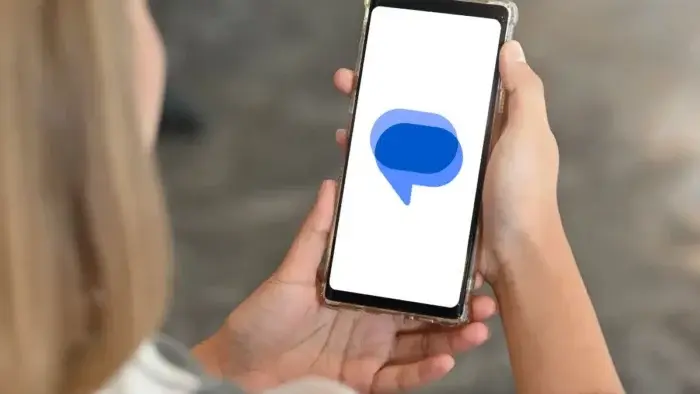
Google aims to enhance its Messages application through five new features. The new features will enable users to text more quickly while blocking spam messages and sharing improved photo quality. Let’s see what’s coming.

Bigger Text Box for Long Messages

Right now, Google Messages only lets you see four lines of text while typing. If you write a long message or paste a website link, you have to scroll to check it. Google is testing a bigger box that shows 14 lines at once. This means no more scrolling to fix mistakes in long texts.

Labels to Show Who Uses RCS

RCS is Google’s fancy texting tech that lets you send read receipts and high-quality photos. Soon, Messages might add a small “RCS” label next to contacts who use it. If someone doesn’t have RCS, you’ll know their texts might look blurry or lack cool features.

One-Tap Unsubscribe from Spam

Tired of spam texts from stores or services? Google is testing an “Unsubscribe” button at the bottom of these messages. Tap it, pick a reason like “Too many messages,” and Google will automatically send “STOP” to block them. You can also report spam with one click.
Google Messages
Image Source: Smartprix

Easier-to-See Read Receipts

Read receipts (the checkmarks that show if someone saw your text) are getting a makeover. Instead of tiny icons under messages, they’ll appear inside chat bubbles with a white background. This makes them easier to spot without squinting.

Send Photos in Original Quality

Google might let you choose between sending photos fast (but lower quality) or keeping them sharp. Pick “Original quality” to share pics exactly as you took them. Great for birthdays, vacations, or showing off your latest art.
Google Messages
Image Source: Gizchina.com

Why These Changes Matter

Google seeks to establish Messages as a messaging platform that competes with WhatsApp and iMessage. The improved messaging experience results from using larger text boxes together with high-definition photos. The labeling system and spam filters in Messages help users block unwanted messages. The testing phase of these features demonstrates Google’s commitment to enhancing your messaging experience.

How to Try Them Early

You can join Google’s beta program to test these features now. Go to the Play Store, search for Google Messages, and tap “Join Beta.” But remember, beta apps can be buggy. Wait for the official update if you want a stable experience.

These updated features would turn Google Messages into Android users’ primary messaging application. The updates planned for texting will deliver better functionality that will benefit users during their communication activities.

TAGGED:Google
Share This Article
Facebook Reddit Copy Link Print
Share
Salman Akhtar
By Salman Akhtar
View enlightening tech pieces written by Salman Keep up with the most recent news, advice, and trends in the field of technology.

Let's Connect

FacebookLike
XFollow
PinterestPin
InstagramFollow
Google NewsFollow
FlipboardFollow

Popular Posts

Starzspins Deutschland: Eine umfassende Übersicht über neue Spiele und ihre Features

The Tech Basic

Cazeus Casino Chile: guía completa para comenzar a jugar en 2026

The Tech Basic

Glorion Casino België: ontdek de spannende wereld van live casino spellen

The Tech Basic

Discover the advantages of using the FunPari O’zbekiston mobile app for instant access to

The Tech Basic

You Might Also Like

Gemini
News

Gemini Automation Books Rides on Galaxy S26 and Pixel 10

Google
News

Google Scraping Fight Heads to Court as SerpApi Pushes Back

Quick Share
News

Google Expands Quick Share to Work With AirDrop on Pixel 9

Google I/O
News

May 19–20: Google I/O 2026 to Showcase Next-Gen AI

Social Networks

Facebook-f Twitter Instagram Pinterest Rss

Company

  • About Us
  • Our Team
  • Contact Us

Policies

  • Disclaimer
  • Privacy Policy
  • Cookies Policy
Latest
Microsoft Launches Copilot Tasks Research Preview
Lenovo Teases Foldable Legion Go With 11.6 Inch Screen
Mobile Game Installs Drop but Spending Climbs in 2025
Instagram Will Tell Parents When a Teen Searches for Suicide or Self Harm
Nvidia posts $68.1B quarter as AI boom accelerates Q4 growth

© 2024 The Tech Basic INC. 700 – 2 Park Avenue New York, NY.

TTB White LOGO TB
Follow US
Welcome Back!

Sign in to your account

Username or Email Address
Password

Lost your password?

Not a member? Sign Up