
TTB White LOGO TB
  • News
  • PC & Hardware
  • Mobiles
  • Gaming
  • Electronics
  • Gadget
  • Reviews
  • How To
  • Login
  • Sign Up
Trending
Starzspins Deutschland: Eine umfassende Übersicht über neue Spiele und ihre Features
Cazeus Casino Chile: guía completa para comenzar a jugar en 2026
Glorion Casino België: ontdek de spannende wereld van live casino spellen
Discover the advantages of using the FunPari O’zbekiston mobile app for instant access to
Rainbet Casino France : débloquez des bonus incroyables en 2026
Sunday, Aug 9, 2026
The Tech BasicThe Tech Basic
Font ResizerAa
Search
  • News
  • PC & Hardware
  • Mobiles
  • Gaming
  • Electronics
  • Gadget
  • Reviews
  • How To
Follow US
Quick Share
The Tech Basic > News > Google Expands Quick Share to Work With AirDrop on Pixel 9
News

Google Expands Quick Share to Work With AirDrop on Pixel 9

Salman Akhtar
Last updated: 19 February 2026 14:14
Salman Akhtar
Share
Image Source: Digital Trends
SHARE

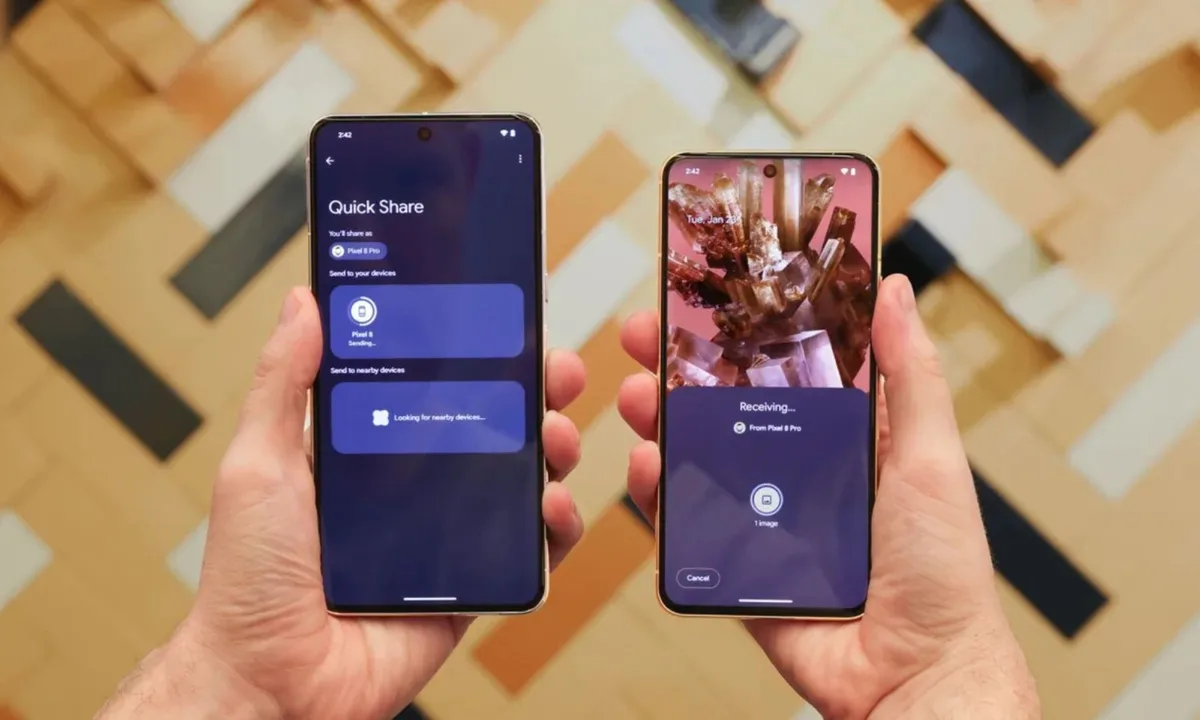
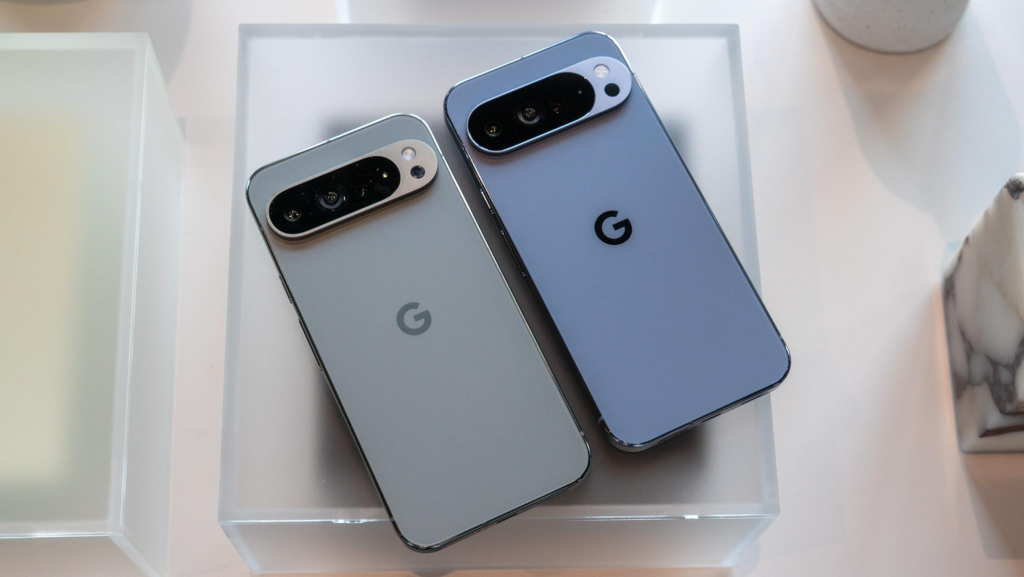
Google is rolling out Quick Share support for AirDrop to more Pixel models. The update brings the feature to the Pixel 9 family, including the Pixel 9 Pro and the Pixel 9 Pro Fold. The company first added this cross-platform sharing to the Pixel 10 last year, and now it is expanding availability backward. This rollout will reach phones in phases over the coming weeks.

Contents
  • Pixel 9 Support
  • How to Use
  • Contacts‑Only Sharing, No Logging
    • Cross‑Platform Transfers Made Easy
Quick Share
Image Source: The Verge

Pixel 9 Support

To send a file from an Android phone to an Apple device, open AirDrop on the receiving device and set AirDrop to Everyone for 10 minutes. On the Pixel 9, use Quick Share as you normally do. Look for the Apple device name in the Quick Share picker and wait for the other user to accept the transfer. The connection runs directly between devices, and it uses a peer-to-peer link so data does not travel through a server.

How to Use

Install the Quick Share Extension update on the Pixel 9 before trying to send files. Open Settings and search for System services. Scroll to Available Updates. Tap Quick Share Extension and choose Update. After the update, Quick Share will list nearby AirDrop-enabled devices when the other party has AirDrop set to Everyone for 10 minutes. Accept the prompt on the Apple device to complete the transfer.

Contacts‑Only Sharing, No Logging

Google built this feature to work without relays or third-party logging. The transfer is direct and encrypted on the device. The company says no extra data is shared, and transfers are not logged on its servers. Google also said it would be open to working with Apple to add support for Contacts Only sharing to make the flow more seamless for people who prefer limited visibility.

Cross‑Platform Transfers Made Easy

Set AirDrop to Everyone for a short window as required. Reset the AirDrop setting when sharing is complete. The Everyone mode is needed because Apple’s current AirDrop privacy setting limits discovery for devices that are not part of a mutual contacts list. Google is exploring ways to remove that step through collaboration with Apple, but there is no change on the Apple side yet. The rollout will be phased so some users will see the feature sooner than others.
Quick Share
Image Source: BigGo

This update makes one-click sharing simpler between Pixel phones and Apple devices for photos, documents, and files. It helps people who work across platforms, and it avoids email or cloud uploads for quick transfers. The feature keeps shared content private because it moves directly between devices.

TAGGED:GoogleGoogle Pixel
Share This Article
Facebook Reddit Copy Link Print
Share
Salman Akhtar
By Salman Akhtar
View enlightening tech pieces written by Salman Keep up with the most recent news, advice, and trends in the field of technology.

Let's Connect

FacebookLike
XFollow
PinterestPin
InstagramFollow
Google NewsFollow
FlipboardFollow

Popular Posts

Starzspins Deutschland: Eine umfassende Übersicht über neue Spiele und ihre Features

The Tech Basic

Cazeus Casino Chile: guía completa para comenzar a jugar en 2026

The Tech Basic

Glorion Casino België: ontdek de spannende wereld van live casino spellen

The Tech Basic

Discover the advantages of using the FunPari O’zbekiston mobile app for instant access to

The Tech Basic

You Might Also Like

Gemini
News

Gemini Automation Books Rides on Galaxy S26 and Pixel 10

Google
News

Google Scraping Fight Heads to Court as SerpApi Pushes Back

Google I/O
News

May 19–20: Google I/O 2026 to Showcase Next-Gen AI

Google
News

How Google now removes ID numbers from Search results

Social Networks

Facebook-f Twitter Instagram Pinterest Rss

Company

  • About Us
  • Our Team
  • Contact Us

Policies

  • Disclaimer
  • Privacy Policy
  • Cookies Policy
Latest
Microsoft Launches Copilot Tasks Research Preview
Lenovo Teases Foldable Legion Go With 11.6 Inch Screen
Mobile Game Installs Drop but Spending Climbs in 2025
Instagram Will Tell Parents When a Teen Searches for Suicide or Self Harm
Nvidia posts $68.1B quarter as AI boom accelerates Q4 growth

© 2024 The Tech Basic INC. 700 – 2 Park Avenue New York, NY.

TTB White LOGO TB
Follow US
Welcome Back!

Sign in to your account

Username or Email Address
Password

Lost your password?

Not a member? Sign Up