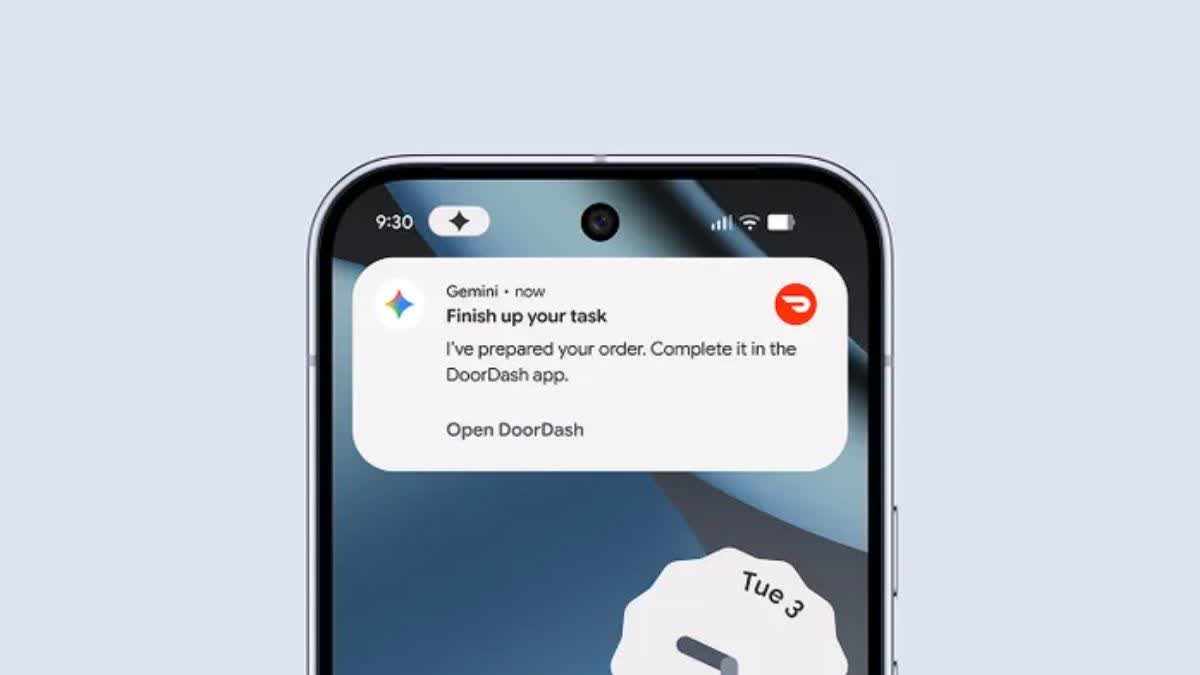

Google is adding automation to the Gemini app. The feature can complete multi-step tasks inside apps. That includes booking rides and placing food and grocery orders on supported apps.
The system runs the target app in a secure virtual window on the phone. The virtual window is isolated from the rest of the device. Google processes what happens in that window in the cloud. The company shows you the automation in real time so you can watch or pause it.
Gemini automation begins when the user asks it to do something. The task stops as soon as the work is finished. The tool will prompt the user to tap or confirm any final purchase or payment step. That is part of Google’s approach to safety.

How Automation Works
Gemini runs the app inside a secure view. The view simulates taps and typing while keeping your other apps and data closed off. Users can open the secure view to see progress. They can also stop the task or take control. The feature shows descriptions of each step as it runs.
The capability builds on Google’s work to make models act inside web and app interfaces. The technology is related to the company’s computer use model, which allows users to click, scroll, and type in a controlled environment. That model has been shown in demo work for web tasks and testing.
Safety and Control
Google requires explicit permission before automation begins. You must give the app access to run automations at all times. The automation shows a clear live status and lets you jump in at any time. Google also requires a user action before final buys are completed. That step aims to prevent unwanted charges.
The automation runs in the cloud to limit device access. Google says the virtual window cannot reach apps outside the secure view. This design is meant to reduce privacy risk and limit what the agent can do on your phone.
Where and When
The feature launches on the Galaxy S26 on March 11. Google will roll it out to Pixel 10 models later in March. The initial beta begins in the United States and Korea. Initial assistance is also confined to a few rideshare, food delivery, and grocery apps. Such early backed apps are Uber, DoorDash, and Grubhub.
What You Can Ask Gemini to Do
You can say short, natural requests. You can ask Gemini to book a ride for a set time. You can say to reorder a past meal. You can ask it to build a grocery cart from a list. The agent will do the work in the secure window and then pause before a final confirmation step.

Tap Less, Trust More? Google Thinks So
Robotic automation would be time-saving. It has the potential to assist users who do not need to touch a lot of app menus. The tool also raises privacy and security questions. Google has added safeguards and user prompts. The success of the approach will depend on real-world testing and broad user feedback.