TTB White LOGO TB
  • News
  • PC & Hardware
  • Mobiles
  • Gaming
  • Electronics
  • Gadget
  • Reviews
  • How To
  • Login
  • Sign Up
Trending
Starzspins Deutschland: Eine umfassende Übersicht über neue Spiele und ihre Features
Cazeus Casino Chile: guía completa para comenzar a jugar en 2026
Glorion Casino België: ontdek de spannende wereld van live casino spellen
Discover the advantages of using the FunPari O’zbekiston mobile app for instant access to
Rainbet Casino France : débloquez des bonus incroyables en 2026
Sunday, Aug 9, 2026
The Tech BasicThe Tech Basic
Font ResizerAa
Search
  • News
  • PC & Hardware
  • Mobiles
  • Gaming
  • Electronics
  • Gadget
  • Reviews
  • How To
Follow US
Google's Gemini
The Tech Basic > News > Google Gemini Enhances Task Management with No Timeline Option
News

Google Gemini Enhances Task Management with No Timeline Option

Jiayi Mingze
Last updated: 14 September 2024 20:38
Jiayi Mingze
Share
SHARE

Google’s Gemini has quietly rolled out a significant update, making it much easier for users to set tasks and reminders. You no longer need to provide a specific date or time to create a reminder in Google Tasks, a helpful app that keeps track of your to-do lists. This improvement makes the app more user-friendly, as it now accommodates tasks without requiring a set timeline upfront.

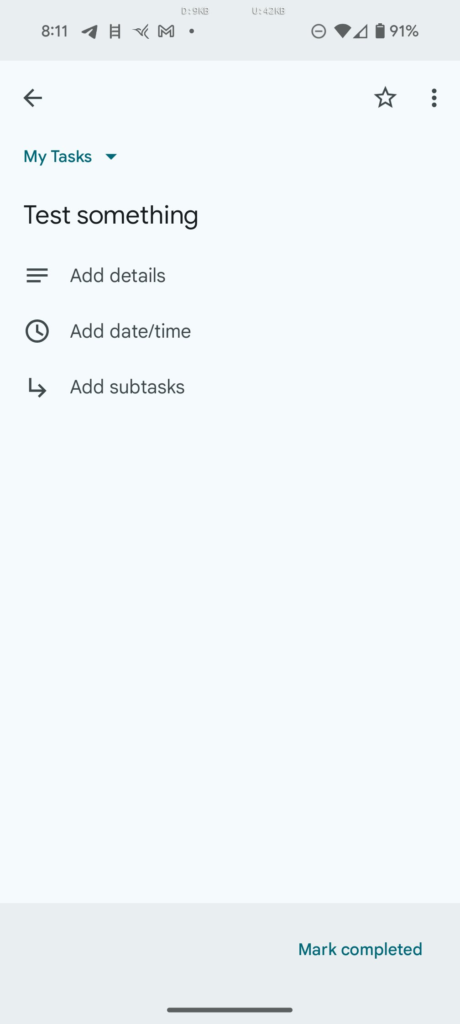
Previously, when setting tasks in Gemini or Google Tasks, users were forced to add a date or time, or the task wouldn’t be created. This issue was first highlighted by Android Police in June when the founder of APKMirror, Artem Russakovskii, reported this flaw. Now, it seems Google has quietly fixed the problem, allowing tasks to be created first, with an optional follow-up prompt to add a timeline.
Google's Gemini
Google Gemini

Gemini’s Task Feature Gets a Significant Upgrade

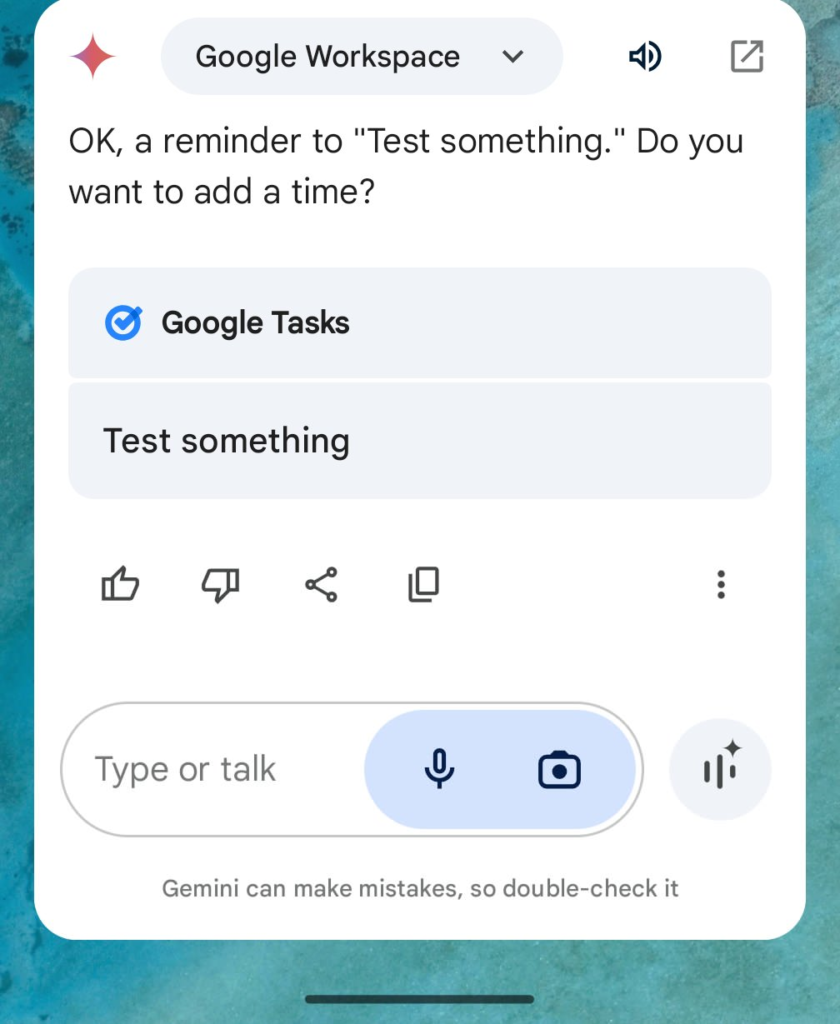
In a recent update shared on X (formerly Twitter), Russakovskii confirmed that users can now set reminders in Google Tasks without a date or time. When you request Gemini to create a task, it does so instantly, and then asks if you want to set a timeline. This refinement ensures that users can manage their reminders with more flexibility.

Russakovskii tested this update myself and found that it works as described. When asking Gemini to set a reminder, the task gets created immediately, followed by a prompt asking whether the user would like to add a date and time. Additionally, a handy “Task created” message appears on the screen, including an “Undo” button that allows for quick cancellation if needed.

This update seems to have rolled out globally, and many users can now enjoy this improved functionality. For those new to using reminders in Gemini, enabling the Google Workspace extension is required. If it’s your first time, the app will prompt you to turn this on through the Extensions menu, which you can access by tapping your avatar in the top right corner.
Google's Gemini

A Step Forward for Task Management

Though it’s unclear exactly when this update was implemented, it’s clear that it’s part of Google’s ongoing effort to enhance the Gemini experience. By removing the requirement for a date or time, the task creation process is now far smoother. While Gemini is still catching up to Google Assistant in terms of overall functionality, this improvement is a step in the right direction for users who rely on Google Tasks to manage their daily tasks. This update is a notable win for users, simplifying the task management process and making Gemini a more competitive feature in the Google ecosystem. Whether you’re setting a quick reminder or managing an extensive to-do list, the ability to skip the timeline makes Gemini’s task creation feature far more efficient.

Read Also

Google launches
Google Launches Revolutionary AI That Can Block Viruses and Fight Cancer
Google Messages Testing New Chat Field Update: Everything You Need to Know
Google Signs $10 Million Contract For Carbon Capture
Google to Rebrand and Upgrade “Switch to Android” App with iOS 18 Compatibility and New Features on the Horizon

TAGGED:Google
Share This Article
Facebook Reddit Copy Link Print
Share
Jiayi Mingze
By Jiayi Mingze
Follow:
Jiayi Mingze is blog writer who specializes in latest innovations in sound and headphones. She works for an IT firm and also writes for technology blogs. She started her writing career from newspapers. She is ambitious and hardworking woman who believes in excellence and intellect.

Let's Connect

FacebookLike
XFollow
PinterestPin
InstagramFollow
Google NewsFollow
FlipboardFollow

Popular Posts

Starzspins Deutschland: Eine umfassende Übersicht über neue Spiele und ihre Features

The Tech Basic

Cazeus Casino Chile: guía completa para comenzar a jugar en 2026

The Tech Basic

Glorion Casino België: ontdek de spannende wereld van live casino spellen

The Tech Basic

Discover the advantages of using the FunPari O’zbekiston mobile app for instant access to

The Tech Basic

You Might Also Like

Gemini
News

Gemini Automation Books Rides on Galaxy S26 and Pixel 10

Google
News

Google Scraping Fight Heads to Court as SerpApi Pushes Back

Quick Share
News

Google Expands Quick Share to Work With AirDrop on Pixel 9

Google I/O
News

May 19–20: Google I/O 2026 to Showcase Next-Gen AI

Social Networks

Facebook-f Twitter Instagram Pinterest Rss

Company

  • About Us
  • Our Team
  • Contact Us

Policies

  • Disclaimer
  • Privacy Policy
  • Cookies Policy
Latest
Microsoft Launches Copilot Tasks Research Preview
Lenovo Teases Foldable Legion Go With 11.6 Inch Screen
Mobile Game Installs Drop but Spending Climbs in 2025
Instagram Will Tell Parents When a Teen Searches for Suicide or Self Harm
Nvidia posts $68.1B quarter as AI boom accelerates Q4 growth

© 2024 The Tech Basic INC. 700 – 2 Park Avenue New York, NY.

TTB White LOGO TB
Follow US
Welcome Back!

Sign in to your account

Username or Email Address
Password

Lost your password?

Not a member? Sign Up