

Google has added a tool that uses Gemini to help Gmail users set up meetings faster. The feature shows times when you are free and lets you insert those slots into an email. When the other person picks a time, the event lands on both calendars automatically.
This tool is aimed at one-to-one meetings. It uses the context of your message to pick suitable slots. For example, if the message asks for a thirty-minute call, the tool will offer thirty-minute options. The goal is to cut the back and forth that often comes with scheduling.
How it works
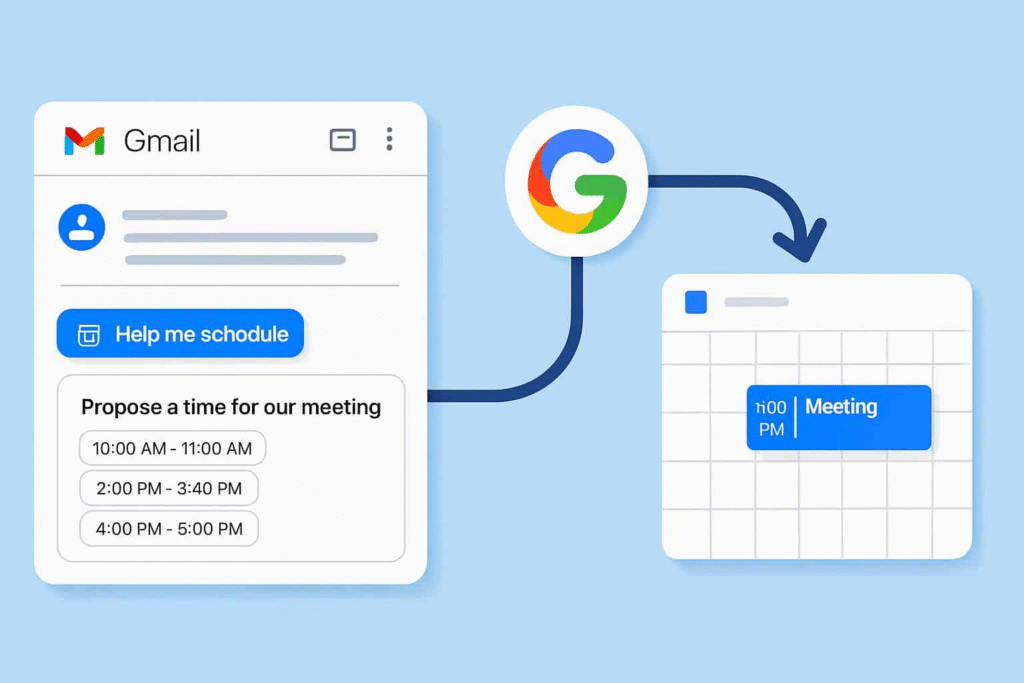
Open Gmail and start a new message. The new Help me schedule button appears below the compose window. Click that button to see suggested times from your Google Calendar. The suggestions match the length you need and your free time.
You can edit the list before you send it. Remove times that you do not want to offer. Add a note for the recipient about the best option. After you send the message, the recipient can click a time to accept. The calendar invite appears on both calendars with no extra steps.
The tool reads the email to pick times that make sense. It will look for phrases like next week or before Friday. It also checks your calendar for events and busy blocks. It will not schedule over events that are marked busy. It is a simple way to offer options and finish the meeting setup in a single exchange.
Privacy and limits
The feature runs inside Google Workspace tools. Google says the assistant uses your calendar data to make its suggestions. The suggested times are drawn from your availability only. The tool is limited to one-to-one meetings and will not handle group scheduling.
This addition joins other Gemini-powered tools in Workspace. Google is adding features to Slides, Docs, and other apps. The company says the new tools are meant to save time and help people work faster inside the apps they already use.
Users who prefer other scheduling services can keep using those tools. Google’s new option looks to be a quick choice for people who want to schedule from inside Gmail. It does not replace full meeting platforms for complex group planning. This update is rolling out now as part of Google Workspace changes for Gmail and Calendar. If you see the Help me schedule button, try it with a simple meeting request to see how it works.







