

TTB White LOGO TB
  • News
  • PC & Hardware
  • Mobiles
  • Gaming
  • Electronics
  • Gadget
  • Reviews
  • How To
  • Login
  • Sign Up
Trending
Starzspins Deutschland: Eine umfassende Übersicht über neue Spiele und ihre Features
Cazeus Casino Chile: guía completa para comenzar a jugar en 2026
Glorion Casino België: ontdek de spannende wereld van live casino spellen
Discover the advantages of using the FunPari O’zbekiston mobile app for instant access to
Rainbet Casino France : débloquez des bonus incroyables en 2026
Tuesday, Aug 11, 2026
The Tech BasicThe Tech Basic
Font ResizerAa
Search
  • News
  • PC & Hardware
  • Mobiles
  • Gaming
  • Electronics
  • Gadget
  • Reviews
  • How To
Follow US
watchOS 11
The Tech Basic > News > How to pause Activity Rings in watchOS 11 when you need a break
News

How to pause Activity Rings in watchOS 11 when you need a break

Salman Akhtar
Last updated: 15 August 2025 16:40
Salman Akhtar
Share
Image Source: Beebom
SHARE

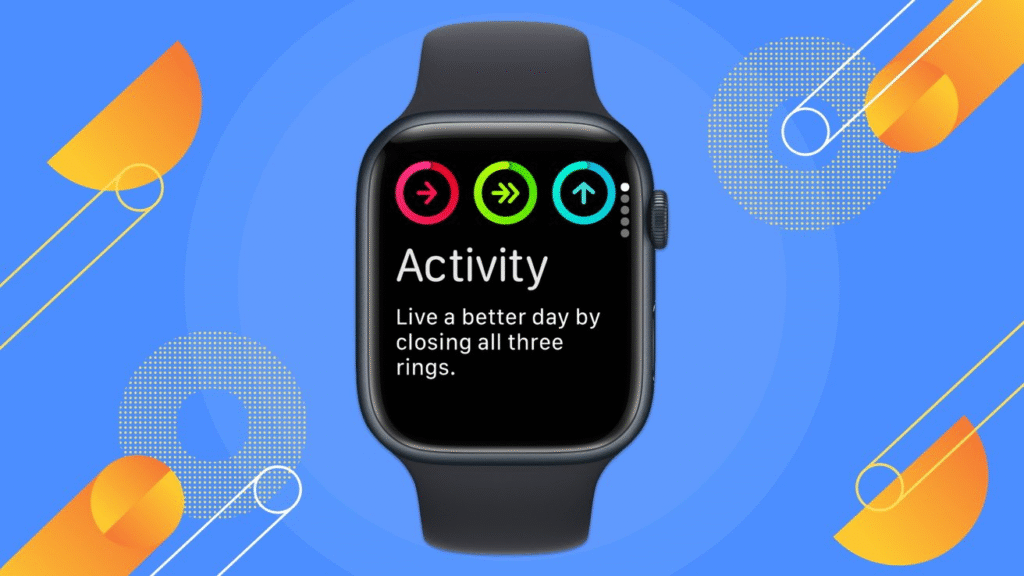
The Activity Rings can help you stay active. They can also feel like pressure when rest is needed. watchOS 11 adds a Pause Rings feature so you can stop ring tracking for a chosen time and return without losing your streaks.

Contents
  • What pausing does and when to use it
  • How to resume and edit a pause
  • Troubleshooting and quick tips

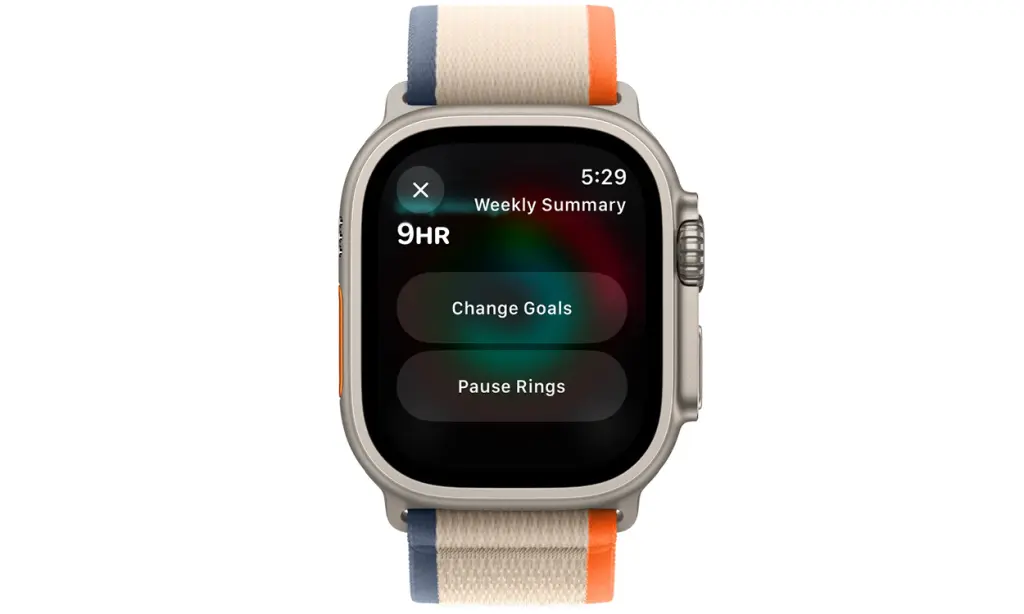
Open the Activity app on the Apple Watch. Tap your Activity rings to open the ring details. Scroll down until you see the Pause Rings control. Tap Pause Rings and pick a preset duration or choose Custom to set exact dates. Confirm that the pause and tracking will stop until the scheduled end or until you resume manually.

You can pause for just one day or for a longer span. Apple allows pauses that last up to 90 days. Use the Custom option to set a specific end date if you plan extended travel or recovery.
watchOS 11
Image Source: AppleInsider

What pausing does and when to use it

Pausing the rings keeps award streaks intact while the pause is active. The watch will not mark a streak as broken when Pause Rings is turned on for the chosen period. When the pause ends, the rings resume, and your streak continues. This makes planned rest easier to manage without losing long-term progress.

People commonly use Pause Rings during illness recovery to avoid pressure to meet daily goals. It is also useful for vacations or multi-day breaks from regular routines. If you want lighter tracking instead of a full pause, reduce your daily goals for the interval rather than pausing entirely. This keeps some momentum while lowering pressure.

How to resume and edit a pause

To resume tracking early, open the Activity app and tap Resume Rings. To change the scheduled end date, open the Activity view and tap Edit Pause. Turn the Digital Crown to set a new custom duration and tap Done. As long as you resume, the rings will restart or will restart on the right date automatically when the end date of the set program is reached.

Troubleshooting and quick tips

Pause Rings needs watchOS 11 or higher. Unless you see the option, check that your Apple Watch has the latest software version and that it is paired with a compatible iPhone. In case the control is still lost, start the watch and phone again or reach out to Apple Support. Back up gadgets prior to significant releases so settings and health data are not lost.

watchOS 11
Image Source: Yahoo

Take your break with intent. Have short pauses on single rest days and longer pauses endeavoring at longer regeneration. You should remember that the pause only impacts the tracking and rewards given out by the ring. Other health data can also be gathered using the watch, depending on your settings that are maintained. After updates, verify what you want in the Activity and Health app.

TAGGED:AppleiOS
Share This Article
Facebook Reddit Copy Link Print
Share
Salman Akhtar
By Salman Akhtar
View enlightening tech pieces written by Salman Keep up with the most recent news, advice, and trends in the field of technology.

Let's Connect

FacebookLike
XFollow
PinterestPin
InstagramFollow
Google NewsFollow
FlipboardFollow

Popular Posts

Starzspins Deutschland: Eine umfassende Übersicht über neue Spiele und ihre Features

The Tech Basic

Cazeus Casino Chile: guía completa para comenzar a jugar en 2026

The Tech Basic

Glorion Casino België: ontdek de spannende wereld van live casino spellen

The Tech Basic

Discover the advantages of using the FunPari O’zbekiston mobile app for instant access to

The Tech Basic

You Might Also Like

iOS 26
How To

How iOS 26 Prioritizes Alerts With Apple Intelligence

Mobile Game Installs
News

Mobile Game Installs Drop but Spending Climbs in 2025

Galaxy S26
News

Samsung Reinvents AI on Galaxy S26 With Triple Assistants

Apple
News

Apple Hits New Sales Peak in Europe While Demand Softens Elsewhere

Social Networks

Facebook-f Twitter Instagram Pinterest Rss

Company

  • About Us
  • Our Team
  • Contact Us

Policies

  • Disclaimer
  • Privacy Policy
  • Cookies Policy
Latest
Microsoft Launches Copilot Tasks Research Preview
Lenovo Teases Foldable Legion Go With 11.6 Inch Screen
Instagram Will Tell Parents When a Teen Searches for Suicide or Self Harm
Nvidia posts $68.1B quarter as AI boom accelerates Q4 growth
Gemini Automation Books Rides on Galaxy S26 and Pixel 10

© 2024 The Tech Basic INC. 700 – 2 Park Avenue New York, NY.

TTB White LOGO TB
Follow US
Welcome Back!

Sign in to your account

Username or Email Address
Password

Lost your password?

Not a member? Sign Up





