

Apple has released the sixth developer betas of iOS 26 and iPadOS 26. It also features macOS Tahoe beta 6, watchOS 26 beta 6, tvOS 26 beta 6, and visionOS 26 beta 6. Registered developers can download the builds from the Apple developer portal and from device update menus.
What is in beta 6 at a glance
Beta 6 raises the build numbers for the core platforms. The iOS and iPadOS build is 23A5318c. macOS Tahoe beta 6 is 25A5338b. watchOS, tvOS, and visionOS also received matching sixth betas this week. Apple posted the beta builds on its developer site, and the update pages list downloads and release notes.

Users testing beta 6 report several small but visible changes. The Liquid Glass look has more polish. App launch animations feel faster. The Camera app received fixes to swipe behavior and other small updates. Apple added new ringtones and a new onboarding flow in iOS. These are iterative changes rather than major feature additions.
Apple Intelligence and model notes
Apple has confirmed that Apple Intelligence will adopt OpenAI models in the new OS generation. Reports say GPT 5 will be part of the Apple Intelligence stack that ships with iOS 26 and macOS Tahoe. This is part of a wider effort to improve on-device language and reasoning features across Apple products. Developers should test any integrations that rely on the new model behavior.
iPadOS and productivity work
iPadOS 26 continues to push productivity improvements. The update expands windowing and multitasking controls. The Files app and Preview gained refinements to make document work smoother on larger screens. Developers should try their apps in split and floating window modes to ensure layouts behave correctly.
macOS Tahoe beta 6 keeps rolling out the desktop features Apple previewed this summer. The Phone app and Clipboard History appear in testing builds. Spotlight received interface updates and wider indexing tweaks. Beta 6 also tunes performance and system animations. Testers report that the macOS update installs through System Settings for developer machines.
Small but important fixes
This beta targets quality and polish. Apple fixed camera swipe direction bugs. App launch speed was improved. The system tweaks aim to make animations feel lighter and more responsive. These small changes add up to a smoother experience for both testers and later public users.
Why Apple is running so many betas now
Apple is closing in on its fall release window. The company ships several beta cycles to find and fix regressions and to tune performance on many device types. The final public release usually follows a short run of developer and public betas. Apple also runs parallel beta tracks for the current generation of software to keep security and stability updates moving.
How developers should test
Install betas only on secondary devices. Back up important data before you update. Test core app flows under the new interface rules. Try windowing and multitasking on iPad and test Apple Intelligence calls where your app depends on language or image features. Check behavior on both Intel and Apple Silicon Macs where relevant. Follow the release notes closely for known issues that could affect your tests.
What public beta users can expect
Public betas tend to follow developer betas. Apple encourages the public to use public betas on non-critical devices. The public releases let Apple gather broader feedback. If you use your iPhone or iPad for work, keep your main device on a stable public release until Apple marks the update as ready for general use.
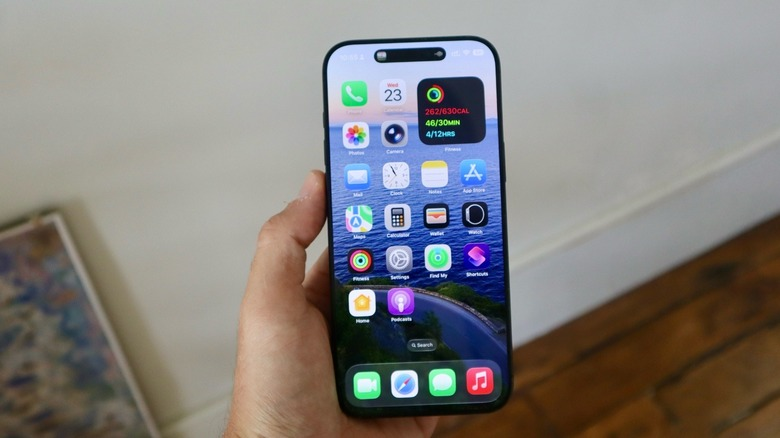
Beta software can cause data loss and app incompatibilities. Do not use developer betas on mission-critical devices. Watch for battery and performance changes on older devices. Pay attention to the Apple release notes for known issues so you can avoid workflows that might interfere with your testing or your daily work.
Apple is moving carefully through its beta process. Beta 6 of the iOS operating system reveals that Apple is paying attention to polish reliability and AI incorporation as the company prepares to launch a mammoth event in the fall. Best practices by developers and testers will help in identifying the problems prior to the final release.







