
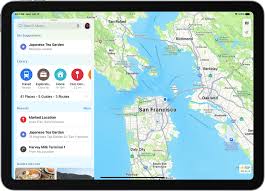

Apple introduced the Maps Library as a new feature through the iOS 18 update. The Map Library function enables users to store their favorite locations and access them easily when needed. Users can think of this feature as an electronic album that saves their exploration memories. Here’s how to use it.
What Is the Maps Library?
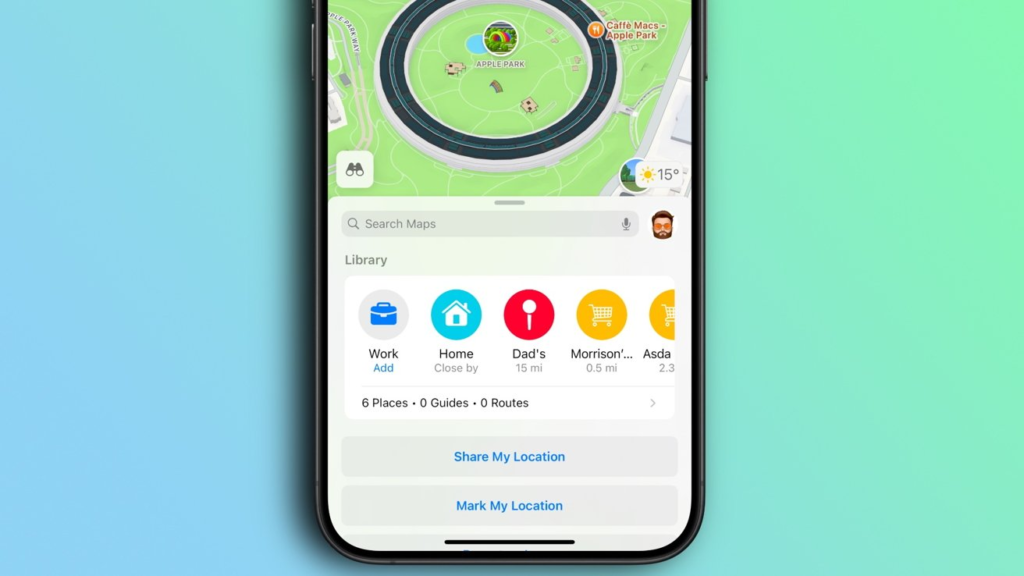
The Maps Library is a special folder inside the Apple Maps app. It keeps all the spots you save or pin in one place. No more scrolling through your search history to find that pizza place you loved last week. Everything stays organized, just like your toy box.
How to Save a Place to Your Library
Saving a spot is as easy as taking a photo. Follow these steps
- Open Apple Maps on your iPhone (make sure it’s updated to iOS 18).
- Find a place by typing its name in the search bar or tapping it on the map.
- Tap the place’s name to see its details.
- Hit the “+” button at the top.
- Choose “Add to Library” to save it.
Now, that place will show up in your Library. You can add notes, too, like “Best ice cream here!”
How to Pin Your Favorite Spots
Pinning is like putting a sticker on the map for places you visit a lot, like school or Grandma’s house.
- Open Apple Maps.
- Press and hold the map where you want to pin it. A red pin will pop up.
- Tap the pin, then hit “Save to Pins”.
- Give it a name like “Soccer Practice” or “Library”.
Pinned places stay in your Library forever (unless you delete them).
How to Remove Places You Don’t Need Anymore
Changed schools? Moved to a new house? Clean up your Library like this
- Open the Library in Apple Maps.
- Tap “Places” to see all your saved spots.
- Find the place you want to remove.
- Tap the “…” next to it and hit “Delete”.
It’s gone! Just like erasing a wrong answer on your homework.
Why Use the Maps Library?
For Trips
Save hotels, museums, and ice cream shops before a vacation. Everything stays in one spot so you don’t get lost.
For School
Pin your classroom, the playground, or the bus stop. Never be late again!
For Fun
Create a record of exciting places for entertaining friends at parks and movie theaters.
How Kids Can Use It Safely
Parents enable children to save locations through the app without exposing their personal information. The device stores notes and pins until users explicitly share them with others.
Tips and Tricks
- Rename Places: Click the “…” button beside saved locations, then select “Edit Name” to customize your spot names to favorites like “Secret Fort.”
- Sort by Distance: After clicking the “Sort” button in the Library tab, the nearest locations will appear first.
- Use with Siri: Open directions to the Library by simply providing the voice command “Hey Siri, take me to the Library.”
Making the Most of Your Maps Library
The Maps Library serves users of all ages. Children can employ this function for multiple purposes, such as saving special places and mapping their weekend activities and birthday party routes. With iOS 18, Apple made sure even the busiest explorers stayed organized.
So next time you find a cool place, save it. Your future self will thank you when you’re racing to soccer practice or hunting for the best tacos in town.







