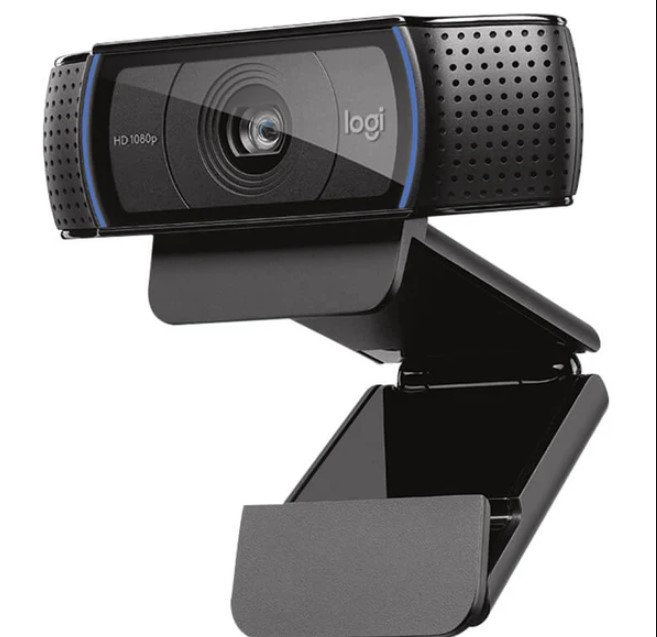

In an increasingly digital world, high-quality video communication has become essential. Whether for remote work, online learning, or content creation, having a reliable webcam can significantly enhance the experience. The Logitech C920 has emerged as one of the most popular choices on the market, renowned for its excellent performance, user-friendly features, and exceptional value.
Please follow us on Facebook and Twitter.
Superior Video Quality
At the heart of the Logitech C920’s appeal is its impressive video quality. Capable of recording in 1080p at 30 frames per second (fps), it delivers sharp, vibrant visuals that make you look your best on camera. This level of clarity is particularly important for professionals who rely on video conferencing tools like Zoom or Microsoft Teams. The C920 also features a 720p resolution at 60 fps option, making it versatile for different scenarios, such as streaming or recording gameplay. The autofocus capability ensures that the focus remains sharp, even if you move around, providing a consistently clear image.
Built-In Stereo Audio
While video quality is critical, audio clarity is equally important for effective communication. The C920 addresses this with dual built-in microphones that capture stereo sound from various angles, providing a natural audio experience. This feature reduces background noise and enhances voice quality, allowing for clear conversations without the need for additional equipment. Whether you’re in a meeting, hosting a webinar, or chatting with friends, the C920 ensures that your audio is just as crisp as your video.
Easy Setup and Compatibility
The Logitech C920 is designed for ease of use. With its simple plug-and-play setup, users can connect it to their computer via USB and start using it almost immediately no complex installation processes are required. This convenience is a significant advantage for those who may not be tech-savvy. Furthermore, the C920 is compatible with a wide range of operating systems, including Windows, macOS, and Linux, as well as popular video conferencing and streaming applications. This versatility ensures that it can be integrated into virtually any setup.
Intelligent Lighting Correction
One of the challenges of video conferencing is dealing with varying lighting conditions. The C920 features automatic light correction, which adjusts the image quality based on the ambient light in your environment. This means that whether you’re in a well-lit room or working at night with a single lamp, the webcam will optimize the settings to deliver the best possible image. This intelligent feature is particularly beneficial for users who may not have access to professional lighting equipment.
Compact and Versatile Design
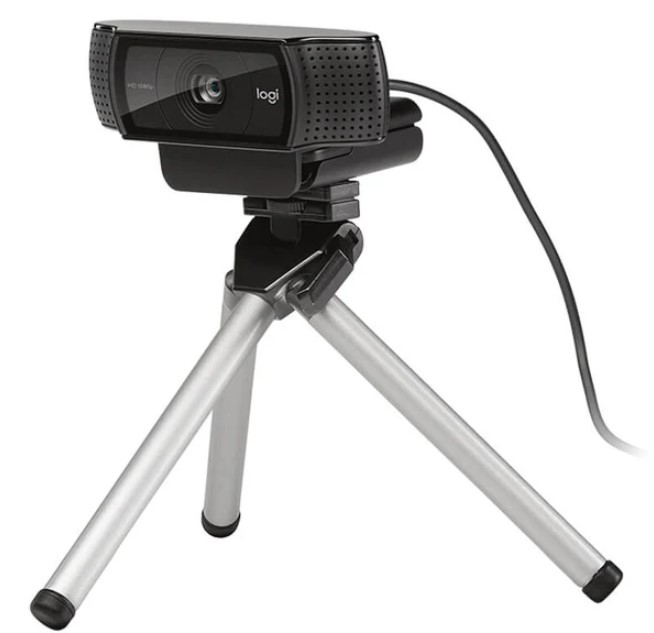
The design of the Logitech C920 is both compact and functional. It features a sleek, professional appearance that fits well in any workspace. The adjustable mounting clip allows for easy attachment to a monitor or laptop, while a standard tripod thread gives users the option to mount it on a tripod for greater flexibility. This adaptability makes it a great choice for various uses, from professional video conferencing to casual streaming.
Software Customization
For those looking to take their video quality to the next level, the Logitech Camera Settings software offers a range of customization options. Users can adjust settings such as zoom, pan, tilt, and exposure to tailor the camera to their specific needs. This level of control allows for a more personalized video experience, whether you’re presenting in a professional setting or creating content for social media.
Affordability and Value
One of the most appealing aspects of the Logitech C920 is its affordability. Priced competitively within the webcam market, it offers exceptional value for the quality and features it provides. For both professionals and casual users, the C920 delivers a robust performance that rivals more expensive models, making it a go-to choice for many.
Conclusion
The Logitech C920 has established itself as a benchmark in the world of webcams, thanks to its outstanding video quality, clear audio, and user-friendly features. Its ability to adapt to different lighting conditions and its compatibility with various platforms make it a versatile tool for any user. Whether you’re looking to enhance your remote work setup, improve your streaming quality, or simply stay connected with friends and family, the C920 delivers exceptional performance at a price that won’t break the bank. For anyone seeking a reliable and high-quality webcam, the Logitech C920 remains an outstanding choice.