
TTB White LOGO TB
  • News
  • PC & Hardware
  • Mobiles
  • Gaming
  • Electronics
  • Gadget
  • Reviews
  • How To
  • Login
  • Sign Up
Trending
Starzspins Deutschland: Eine umfassende Übersicht über neue Spiele und ihre Features
Cazeus Casino Chile: guía completa para comenzar a jugar en 2026
Glorion Casino België: ontdek de spannende wereld van live casino spellen
Discover the advantages of using the FunPari O’zbekiston mobile app for instant access to
Rainbet Casino France : débloquez des bonus incroyables en 2026
Sunday, Aug 9, 2026
The Tech BasicThe Tech Basic
Font ResizerAa
Search
  • News
  • PC & Hardware
  • Mobiles
  • Gaming
  • Electronics
  • Gadget
  • Reviews
  • How To
Follow US
YouTube Gives Parents
The Tech Basic > News > YouTube Gives Parents New Controls Over Shorts for Teen Accounts
News

YouTube Gives Parents New Controls Over Shorts for Teen Accounts

Salman Akhtar
Last updated: 14 January 2026 23:50
Salman Akhtar
Share
Image Source: Heise
SHARE

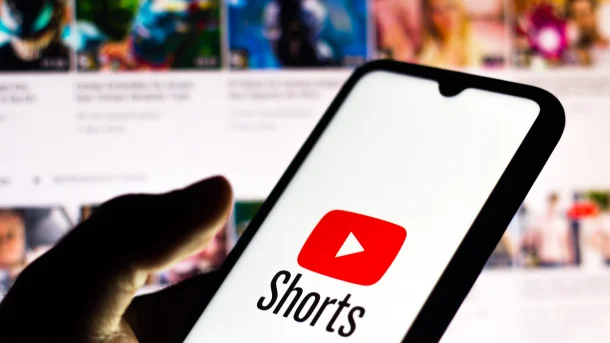
YouTube has added parental controls that let parents limit how much time children and teens spend on Shorts. The controls work through supervised accounts that parents set up with Family Center. Parents can set a daily Shorts timer that pauses the Shorts feed after a set time or set the limit to zero to block Shorts entirely.
Contents
  • Shorts Time Limits
  • Parental Controls Update
  • How to Use it
  • Why Parents Will Care
YouTube Parents
Image Source: Engadget

Shorts Time Limits

The Shorts timer offers options from short sessions up to longer session lengths. The parents are able to choose a time that will fit the homework and sleep schedules. Once the limit is achieved, the Shorts feed will stop, and a reminder informs the user that they have reached their time limit. These tools build on YouTube features that have already let users set Take a Break and Bedtime reminders.

Parental Controls Update

Parents will be able to block Shorts entirely for a supervised account. The Family Center controls also let parents set custom Bedtime reminders and custom Take a Break reminders for teens. YouTube indicates that in the next few weeks, it will streamline the process of switching parent and child accounts in the app. These measures will help provide parents with closer monitoring of the use of short-form video at home.

How to Use it

Set up a supervised account through Family Center and link it to your child. Choose the supervised account profile and open the Shorts feed limit control. Set the daily timer or set the limit to zero to block Shorts. Parents can also pause watch history, disable autoplay, and adjust search and comment settings through the Family Center controls. The support pages explain each control in simple steps for both mobile and web users.
image
Image Source: The Sun

Why Parents Will Care

Shorts and similar short-form feeds can be engaging in a way that makes it hard for young users to stop. The new controls let parents stop mindless scrolling and create clear windows for study and sleep. The option to block Shorts entirely is useful for a short period of focus, such as a test, or for longer stretches when a family wants to limit that form of content. Experts say active controls and routines are helpful when children are learning how to manage screen time.

TAGGED:YouTube
Share This Article
Facebook Reddit Copy Link Print
Share
Salman Akhtar
By Salman Akhtar
View enlightening tech pieces written by Salman Keep up with the most recent news, advice, and trends in the field of technology.

Let's Connect

FacebookLike
XFollow
PinterestPin
InstagramFollow
Google NewsFollow
FlipboardFollow

Popular Posts

Starzspins Deutschland: Eine umfassende Übersicht über neue Spiele und ihre Features

The Tech Basic

Cazeus Casino Chile: guía completa para comenzar a jugar en 2026

The Tech Basic

Glorion Casino België: ontdek de spannende wereld van live casino spellen

The Tech Basic

Discover the advantages of using the FunPari O’zbekiston mobile app for instant access to

The Tech Basic

You Might Also Like

YouTube Upgrades Premium Lite
News

YouTube Upgrades Premium Lite With Background Play

Vision Pro
News

YouTube Goes Native on Vision Pro in Major Google-Apple Shift

YouTube Music
BlogNews

YouTube Music Limits Lyrics to Premium, Shaking Up Free Listening

YouTubers Accuse Snap
News

YouTubers Accuse Snap of Using Videos to Train AI Models

Social Networks

Facebook-f Twitter Instagram Pinterest Rss

Company

  • About Us
  • Our Team
  • Contact Us

Policies

  • Disclaimer
  • Privacy Policy
  • Cookies Policy
Latest
Microsoft Launches Copilot Tasks Research Preview
Lenovo Teases Foldable Legion Go With 11.6 Inch Screen
Mobile Game Installs Drop but Spending Climbs in 2025
Instagram Will Tell Parents When a Teen Searches for Suicide or Self Harm
Nvidia posts $68.1B quarter as AI boom accelerates Q4 growth

© 2024 The Tech Basic INC. 700 – 2 Park Avenue New York, NY.

TTB White LOGO TB
Follow US
Welcome Back!

Sign in to your account

Username or Email Address
Password

Lost your password?

Not a member? Sign Up