
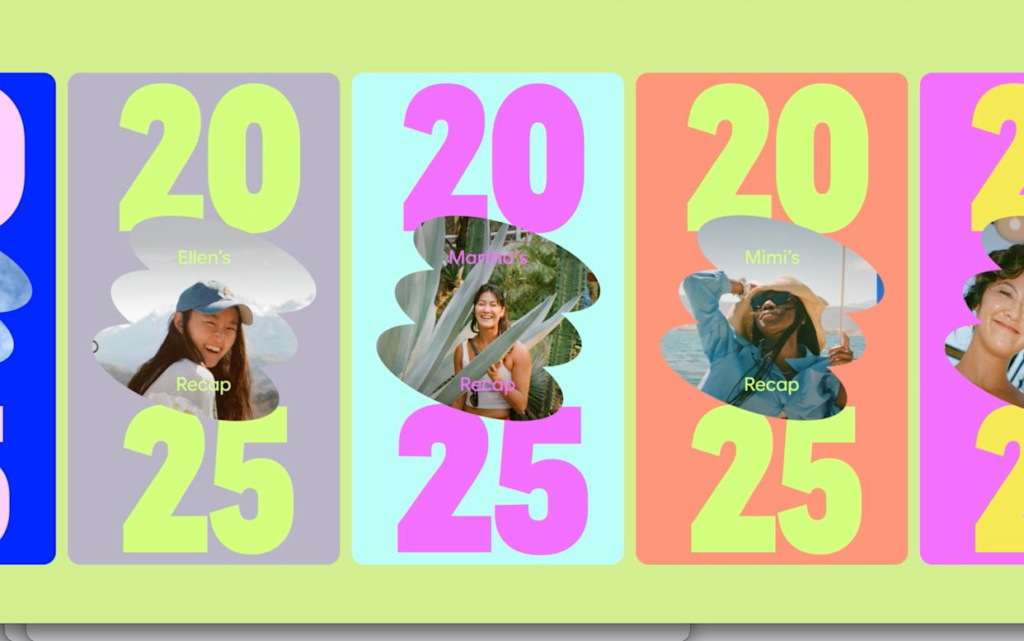
Google Photos has updated its year-end Recap for 2025. The feature gathers your best photos and short clips from the year and adds new ways to understand and share those moments. Users in the United States who have Gemini features enabled will see AI-driven highlights that surface hobbies and the moments that mattered most.
New Gemini insights
Gemini looks through your photos to spot recurring themes and to find standout subjects. The AI highlights a single main passion and then lists the other top four moments that defined the year. The recap also adds a selfie count and a set of new statistics, such as total photo count and top people from the year. Google says that Gemini can interpret context in images and use that context to pick meaningful highlights.
Users will gain control over what appears in their Recap. The app lets people hide specific photos and hide certain faces. After hiding items, a user can regenerate the Recap and watch the summary update. This change gives people a way to shape the story that the app tells about their year.
Google has added a sharing carousel that collects short clips, photos, and collages made for social sharing. The Recap includes an option to send a Recap directly to WhatsApp Status. The app also offers an export button that opens the project in CapCut for deeper edits using Google Photos templates. These tools aim to make it faster to turn the Recap into a post or a short video.
Gemini features are rolled out with privacy and controls in mind. Google processes image context in ways that respect the account settings and the local privacy rules that apply to a user. Users will find the Recap in the Memories carousel and in the Collections tab for the month of December. The support pages explain where the Recap appears and how to open it on Android and other platforms.
How to access
Open Google Photos and look at the front of the Memories carousel. The 2025 Recap will appear at the front for many users. Tap the Recap to play the full summary and to see the stats and highlights for the year. Use the option at the top of the app to request a Recap if it does not appear automatically. The Recap remains accessible through December and can be found again in Collections.

After viewing the Recap, use the share control to save the images and short videos. Choose the CapCut export to continue editing. Choose the WhatsApp Status option to post directly to that platform. The app will keep the Recap in place so that people can return to it and can regenerate a version after hiding photos or faces.
Google is also publishing a series of 2025 highlights across the month of December. Those curated posts will surface trends and popular uses of Google Photos over the year. The Recap sits alongside other Google year-end features and experiments that the company runs to show people how their content adds up over time.