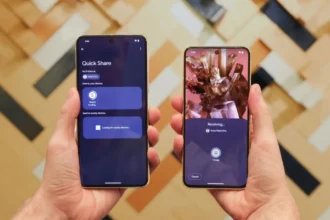

Google Messages adds a ‘Delete For Everyone’ option that removes an RCS message from both the sender device and the recipient device. The change applies only to messages sent over RCS chats and not to standard SMS. The new control seeks to fix accidental sends and text mistakes.
How to delete a sent message
In an RCS chat, the user can press and hold on to a sent message in order to reveal delete options. The user subsequently selects the option to Delete For Everyone in order to delete the text on all devices in the chat that have the feature. Removal results in a deleted note message replacing the original text in the chat to participants running a compatible version of the application.

Compatibility and technical limits
This feature works only when the conversation uses RCS and when recipients run compatible and updated apps or services. If a recipient uses an older app version or if a message is delivered as standard SMS, the delete option will not remove the text from the other device. The update may rely on Universal Profile standards that define edit and recall actions, but the precise profile version in use can affect cross-platform behavior.
Time window and visibility concerns
Reports differ on the exact time window for the delete option. Some outlets report a short window similar to other services. Other reports indicate the option may remain available for longer. Users should act promptly when they want to remove a message because fast readers can still see the message before it is deleted. Screenshots and copies made before deletion remain unchanged and cannot be undone by this feature.
iPhone users and wider cross-platform behavior
The feature depends on RCS adoption and on the RCS profile supported by each platform. Apple has discussed support for RCS Universal Profile in future iOS updates, but wide-scale compatibility is not yet certain. Until all platforms implement the same RCS profile and encryption standards, some cross-platform actions may not work or may behave differently.
Privacy and legal notes
Remote deletion can reduce embarrassment, but it is not a full safety net. The feature cannot erase a screenshot or a saved copy. Law and policy may treat messages as evidence even if an app later removes them. Companies and users should keep that in mind when they rely on message deletion for sensitive matters. Security details, such as whether end-to-end encryption applies, will depend on the RCS profile and how each vendor implements it.
How to check if you can use it now
Open Google Messages and watch for the two delete options when you long-press a sent message. If the option is not yet visible, an app update or a staged rollout may be the reason. In case the option is not displayed yet, a staged rollout or a new update of the app might be the cause of it. RCS users may also verify that a conversation is using RCS by looking at the chat information in the app.