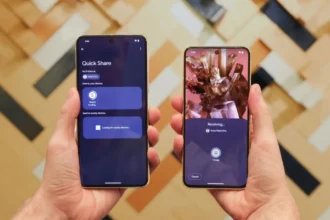
Google has updated Chrome on iOS to let users move quickly between their work Google Account and their personal Account without signing out. The new feature keeps all work browsing data (including open tabs browsing history, and saved passwords) strictly within the managed profile while personal activity remains separate.
Seamless profile switching
Tapping the profile icon in Chrome on an iPhone or iPad will now show a user both their personal Account and their managed work Account. When the work Account is chosen, a special browsing mode is opened that has no cookies or history sharing with the personal mode. When a user switches back to their personal Account, they see their own tabs and their own passwords within an instant without any sign-out to be done.
Why data separation matters
Most companies no longer provide work devices, but employees are expected to use their own phones and tablets to work and do personal errands. This approach can ensure the security policies, including URL filtering and data loss prevention, are applied by IT administrators, and the personal use remains unaffected, because the data associated with work activity is isolated within a specific browsing profile. The users will have the comfort of having only one device, and their privacy will not be compromised.
Enterprise controls and reporting
Chrome Enterprise customers now enjoy extended security features on iOS. IT teams can collect browser event logs and send them to the Google Admin console or to a SIEM for analysis. Administrators can apply URL filtering rules on the work profile to block access to unwanted sites or restrict GenAI tools. These controls mirror existing protections on desktop and Android devices, giving admins a unified way to secure Chrome across all major platforms.
Onboarding and transparency
The initial sign-in to Chrome will show a welcome screen that details the functioning of how browsing data is managed in the managed work profile. The screen makes it clear what activity an organization can view and what is confidential. This is all open and obviously creates trust because employees can understand exactly how the information belonging to a corporation is being handled on their personal devices by their employer.
Rollout and requirements
The update is currently available to iOS users on the App Store channel of Chrome. It necessitates that Chrome enterprises are run and that the version of Google Workspace or Cloud Identity is supported. iOS or Android users who are not enterprise users will not experience the in-app profile switch, although these users can still use multiple Accounts through signing in and signing out or creating separate browser apps.
Incorporating the effortless account switching and high-level data segregation in the Chrome on iOS, Google will streamline the process of work and personal browsing Emily of the same machine by the employees. The shift allows productivity and helps ensure privacy since mobile work is on the rise.