

TTB White LOGO TB
  • News
  • PC & Hardware
  • Mobiles
  • Gaming
  • Electronics
  • Gadget
  • Reviews
  • How To
  • Login
  • Sign Up
Trending
Starzspins Deutschland: Eine umfassende Übersicht über neue Spiele und ihre Features
Cazeus Casino Chile: guía completa para comenzar a jugar en 2026
Glorion Casino België: ontdek de spannende wereld van live casino spellen
Discover the advantages of using the FunPari O’zbekiston mobile app for instant access to
Rainbet Casino France : débloquez des bonus incroyables en 2026
Sunday, Aug 9, 2026
The Tech BasicThe Tech Basic
Font ResizerAa
Search
  • News
  • PC & Hardware
  • Mobiles
  • Gaming
  • Electronics
  • Gadget
  • Reviews
  • How To
Follow US
iOS 18
The Tech Basic > How To > How to Use Reduce Interruptions Focus in iOS 18 for Fewer Alerts
How To

How to Use Reduce Interruptions Focus in iOS 18 for Fewer Alerts

Salman Akhtar
Last updated: 10 July 2025 15:00
Salman Akhtar
Share
Image Source: 3uTools
SHARE

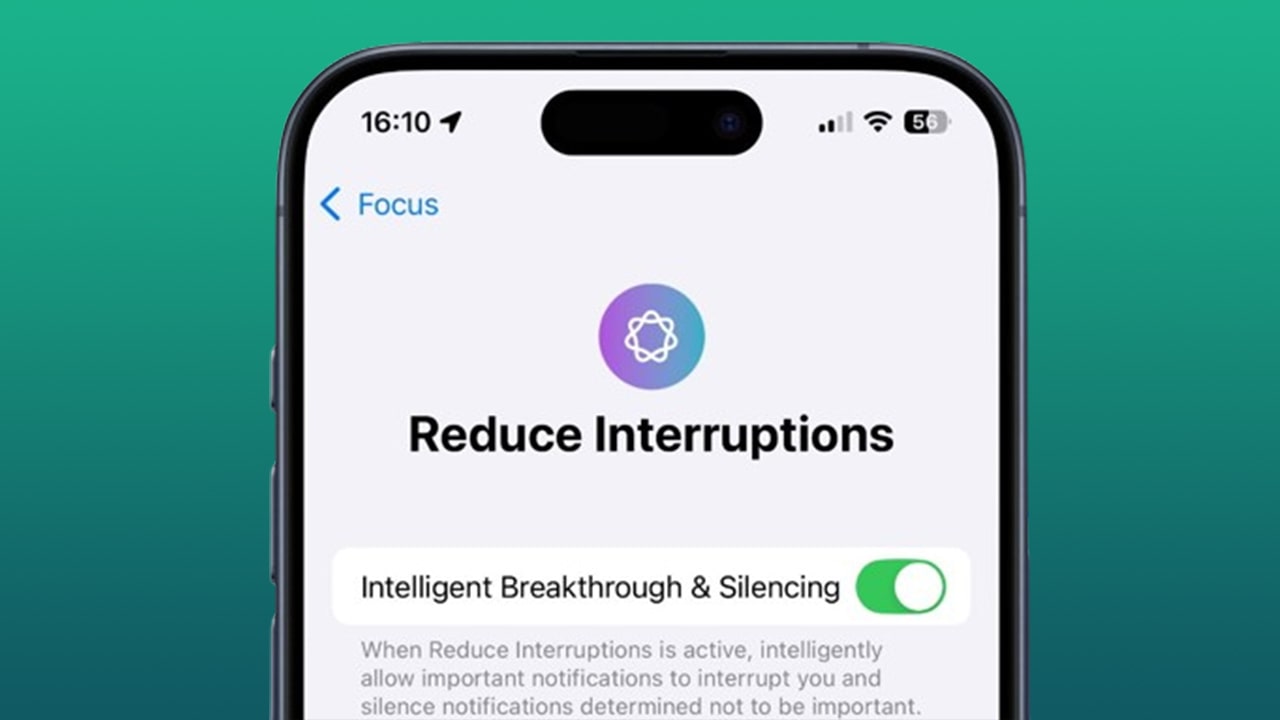
Apple added a new Focus mode in iOS 18 called Reduce Interruptions. This mode uses Apple Intelligence to sort your incoming notifications. Only truly urgent messages will appear on your lock screen or in Notification Center. Other alerts will stay silent until you check them yourself.
Contents
  • How to Set Up Reduce Interruptions
  • Intelligent Breakthrough and Silencing
  • Whitelisting People for Interruptions
  • Whitelisting Apps for Interruptions
  • Using Focus Filters for Extra Control
iOS 18
Image Source: AppleInsider

How to Set Up Reduce Interruptions

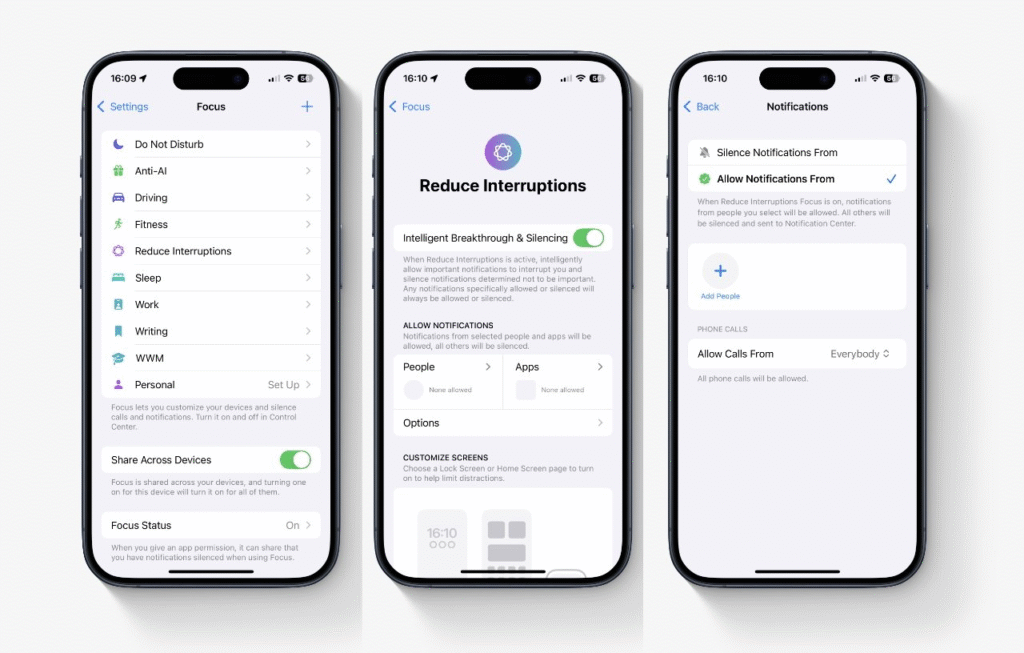
Open the Settings app on your iPhone running iOS 18 or later. Scroll and tap Focus. In the list of modes, tap the entry for Reduce Interruptions. Toggle the switch to turn it on. This alone will activate the basic mode even before you add any exceptions.

Intelligent Breakthrough and Silencing

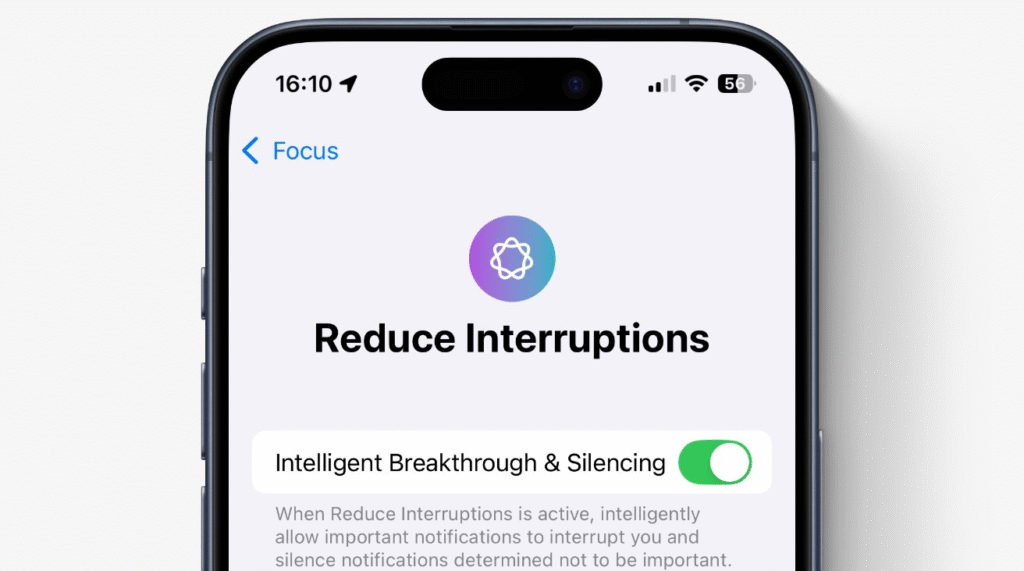
At the top of the Reduce Interruptions settings, you will see an option called Intelligent Breakthrough and Silencing. Enable that switch to let Apple Intelligence decide which notifications bypass the Focus and which stay silent. The system learns over time by looking at factors such as your calendar events and message content.

Whitelisting People for Interruptions

You may still want calls and messages from close family or key colleagues. In the Reduce Interruptions settings, tap People. Then choose Allow Notifications From. Select the contacts you wish to let through. Only those names you pick will override the mode’s silencing rules.

Whitelisting Apps for Interruptions

Next, tap Apps in the same settings screen. Choose Allow Notifications from. Add the apps you need immediate updates from, such as your banking app or a health tracker. All others will stay silent until you turn the mode off or check manually.
iOS 18
Image Source: AppleInsider

Using Focus Filters for Extra Control

iOS 18 also lets you set Focus Filters that hide notification badges and limit which tabs appear in apps while Reduce Interruptions is active. For example, you can hide your unread email count but still get a summary of the top messages when needed. Reduce Interruptions gives you the balance between peace of mind and staying in the loop. You choose which people and apps can interrupt you, and let Apple Intelligence handle the rest. Enjoy a calmer day with notifications that only matter.

TAGGED:AppleiOS
Share This Article
Facebook Reddit Copy Link Print
Share
Salman Akhtar
By Salman Akhtar
View enlightening tech pieces written by Salman Keep up with the most recent news, advice, and trends in the field of technology.

Let's Connect

FacebookLike
XFollow
PinterestPin
InstagramFollow
Google NewsFollow
FlipboardFollow

Popular Posts

Starzspins Deutschland: Eine umfassende Übersicht über neue Spiele und ihre Features

The Tech Basic

Cazeus Casino Chile: guía completa para comenzar a jugar en 2026

The Tech Basic

Glorion Casino België: ontdek de spannende wereld van live casino spellen

The Tech Basic

Discover the advantages of using the FunPari O’zbekiston mobile app for instant access to

The Tech Basic

You Might Also Like

iOS 26
How To

How iOS 26 Prioritizes Alerts With Apple Intelligence

Mobile Game Installs
News

Mobile Game Installs Drop but Spending Climbs in 2025

Galaxy S26
News

Samsung Reinvents AI on Galaxy S26 With Triple Assistants

Apple
News

Apple Hits New Sales Peak in Europe While Demand Softens Elsewhere

Social Networks

Facebook-f Twitter Instagram Pinterest Rss

Company

  • About Us
  • Our Team
  • Contact Us

Policies

  • Disclaimer
  • Privacy Policy
  • Cookies Policy
Latest
Microsoft Launches Copilot Tasks Research Preview
Lenovo Teases Foldable Legion Go With 11.6 Inch Screen
Instagram Will Tell Parents When a Teen Searches for Suicide or Self Harm
Nvidia posts $68.1B quarter as AI boom accelerates Q4 growth
Gemini Automation Books Rides on Galaxy S26 and Pixel 10

© 2024 The Tech Basic INC. 700 – 2 Park Avenue New York, NY.

TTB White LOGO TB
Follow US
Welcome Back!

Sign in to your account

Username or Email Address
Password

Lost your password?

Not a member? Sign Up





