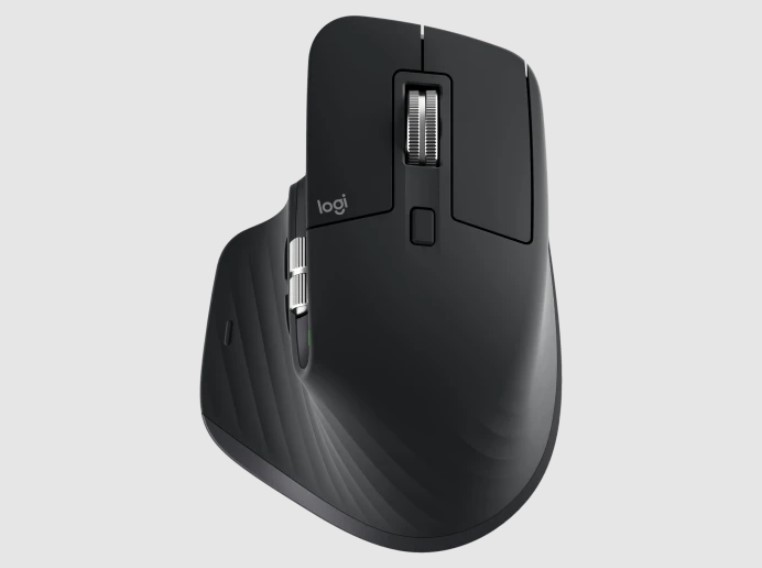

The Logitech MX Master 3S isn’t your average mouse. It’s the latest in Logitech’s MX Master series, which has long been favored by professionals, creatives, and productivity enthusiasts. With enhanced ergonomics, impressive customization options, and a silky-smooth scroll wheel, the MX Master 3S is designed to make work easier and more efficient. Let’s take a closer look at what makes this mouse such a standout choice.
Please follow us on Facebook and Twitter.
A Design Tailored for Comfort
One of the first things you’ll notice about the MX Master 3S is its design. Logitech prioritized comfort with this model, as it’s sculpted to fit your hand perfectly, providing a natural grip that doesn’t strain your wrist, even during long work sessions. The thumb rest, which includes additional controls, allows your hand to sit in a relaxed, neutral position, reducing muscle fatigue. It’s also slightly heavier than standard mice, giving it a premium, substantial feel. This design isn’t just about looking good; it’s about feeling good, too.
Silent Clicks: A New Level of Quiet
Logitech made a significant change with the MX Master 3S by incorporating what they call “Quiet Click” technology. This means that every click is almost silent, reducing noise by about 90% compared to the previous MX Master model. For anyone working in a shared space or an open office, this is a game-changer. You get the tactile feedback of a click without the sound, so you can stay productive without disturbing those around you.
MagSpeed Electromagnetic Scroll Wheel
If you’re the kind of person who constantly scrolls through long documents, emails, or web pages, the MX Master 3S has a feature you’ll love: the MagSpeed electromagnetic scroll wheel. This wheel allows you to switch seamlessly between precise “click-to-click” scrolling and high-speed “freespin” scrolling. Want to scroll line-by-line? It’s precise and smooth. Need to zip to the bottom of a lengthy document? Just give the wheel a flick, and it’ll spin through hundreds of lines in seconds. This flexibility makes it easy to navigate through both small and large pieces of content with ease.
Customizable Buttons and App-Specific Profiles
Customization is where the MX Master 3S shines. It comes with six programmable buttons, each of which can be tailored to suit your workflow. From switching between browser tabs to zooming in on images, you can program these buttons to perform a wide range of functions. Logitech’s Options+ software even allows you to set up app-specific profiles, so each button behaves differently based on the software you’re using. For example, you could set one profile for Photoshop, another for Excel, and a different one for your web browser.
Flow Cross-Computer Control
For anyone who uses more than one computer at a time, the Logitech Flow feature is a lifesaver. This lets you move your cursor across multiple screens even if they’re on different operating systems like Windows and macOS without needing to plug in extra devices or switch ports. Just move your mouse to the edge of one screen, and it will appear on the next. You can even copy and paste text, images, and files between computers seamlessly. It’s an incredible feature for those who need to multitask across different platforms.
Precision and DPI Range
The MX Master 3S doesn’t just look good, it’s also highly accurate. With a DPI range of 200 to 8000, it offers the flexibility to switch between quick movements and ultra-precise control. This makes it perfect for both detail-oriented work, like graphic design, and more general tasks, like browsing the web. And if you’re working with a high-resolution monitor or even multiple displays, you’ll appreciate this level of control.
A Long-Lasting Battery Life
Battery life is another area where the MX Master 3S excels. A full charge can last up to 70 days, and if you’re in a hurry, a quick one-minute charge gives you three hours of use. It charges via USB-C, so you don’t have to worry about searching for proprietary cables. With such a long battery life, you can focus on your work without interruptions.
Is It Worth It?
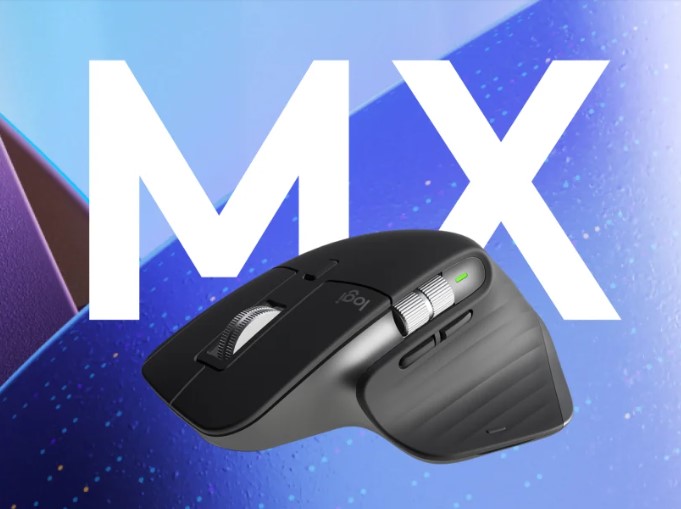
With a price tag that reflects its premium build and advanced features, the MX Master 3S isn’t cheap. But if you value comfort, customization, and productivity, it’s well worth the investment. This mouse can adapt to your workflow, reducing repetitive strain and making navigation more efficient. The silent clicks, ergonomic design, and advanced scroll wheel make it an excellent choice for anyone looking to elevate their workspace. In the end, the Logitech MX Master 3S isn’t just a tool it’s a productivity booster, offering a combination of comfort and functionality that’s hard to beat. Whether you’re a creative professional, an office worker, or someone who spends hours at a computer daily, this mouse can help you get things done easily and precisely.