With the rise of wireless technology, managing multiple devices like keyboards, mice, and other peripherals can become a hassle. Logitech has simplified this with its Logitech Unifying Software, a program designed to connect and control multiple Logitech devices through a single receiver. By allowing users to pair up to six compatible devices on one USB receiver, the Unifying Software enhances efficiency, reduces clutter, and provides an easy-to-use solution for both home and office setups.
Please follow us on Facebook and Twitter.
What is Logitech Unifying Software?
At its core, the Logitech Unifying Software is a free utility tool that enables users to connect several Logitech wireless devices to one USB receiver. Logitech’s proprietary Unifying Receiver uses a tiny, convenient dongle that plugs into your computer’s USB port and pairs with multiple wireless devices simultaneously. This tool works with Logitech devices marked with the “Unifying” logo a small orange star which indicates compatibility. Users can manage, add, or remove connected devices with ease, eliminating the need to use a separate receiver for each device.
The Convenience of a Single Receiver
One of the greatest advantages of the Logitech Unifying Software is the ability to reduce USB port usage. Many laptops and desktop computers come with only a limited number of USB ports, so a single receiver that can handle multiple devices saves valuable port space. This is especially useful in workplaces or home setups where external storage drives, charging cables, and other peripherals compete for space.
Furthermore, a single receiver means less clutter and fewer pieces of hardware to manage. Instead of having to deal with multiple dongles for each device, you can operate everything with one small receiver. It’s a great option for people who travel frequently or switch between different workstations since you only need to remember to carry one receiver instead of several.
How to Set Up and Use Logitech Unifying Software
Getting started with the Logitech Unifying Software is straightforward. Here’s a quick guide to setting it up:
- Download the software from the Logitech website and install it on your computer. The software is compatible with both Windows and macOS.
- Plug in the Unifying Receiver into an available USB port. Once connected, open the software.
- Turn on your device (keyboard, mouse, etc.) and make sure it’s in pairing mode.
- Add the device by selecting the “Add Device” option in the software. Follow the on-screen instructions to complete the pairing process.
The software will guide you through each step, making the setup simple even for those who aren’t tech-savvy. Additionally, the Unifying Software offers features like device renaming, which can help users keep track of specific devices in multi-device setups.
Compatibility and Device Management
Logitech’s Unifying Software supports a wide range of keyboards, mice, and other peripherals. Users can connect up to six compatible devices to a single receiver, making it ideal for those who frequently switch between multiple Logitech peripherals. For instance, if you prefer a different mouse for certain tasks (such as a precision mouse for design work and a standard mouse for general use), the Unifying Software makes it easy to swap between them without re-pairing.
Managing devices is also easy, with options to add, remove, or even rename connected devices. The software keeps track of all connected devices, allowing users to reconfigure their setups as needed. This feature is particularly helpful for those with rotating workstations or mobile work setups, as it streamlines the process of connecting to new peripherals without manual setup each time.
Reliable Connectivity and Security
Logitech’s Unifying Software not only makes connecting devices easier but also ensures reliable connectivity. The Unifying Receiver operates on a 2.4 GHz wireless frequency, providing a strong and secure connection with a range of up to 30 feet. This extended range makes it suitable for various environments, from compact workstations to larger office spaces. Logitech has also implemented encryption within the Unifying Software to protect the data transmitted between the receiver and devices, ensuring that personal or professional information remains secure.
Advantages of Logitech Unifying Software
The Logitech Unifying Software offers several advantages that make it a valuable tool for both casual users and professionals:
- Efficient Use of USB Ports: With one receiver for multiple devices, you save space for other peripherals.
- Convenience and Mobility: A single receiver can be used across multiple devices, making it easier to set up on new computers or workstations.
- Device Management: The software’s intuitive interface allows users to organize and rename connected devices, providing a streamlined experience.
- Reliable Connection: With 2.4 GHz wireless technology and secure data encryption, you get a stable, secure connection every time.
Conclusion
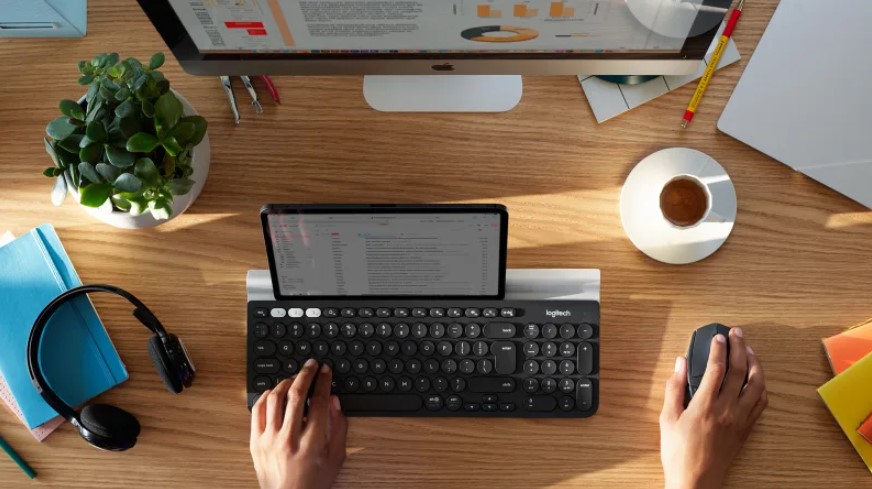
Why Choose Logitech Unifying Software? The Logitech Unifying Software is a practical, user-friendly tool for anyone who relies on multiple Logitech peripherals. It simplifies the setup and management of devices, making it ideal for busy professionals, tech enthusiasts, and frequent travelers who want a hassle-free way to keep their workstations organized. With its single-receiver solution, device management options, and reliable connectivity, Logitech Unifying Software is a smart choice for anyone looking to reduce clutter and improve productivity. If you’re tired of juggling multiple dongles or struggling with limited USB ports, Logitech’s Unifying Software is well worth considering.