


Apple has already canceled the active development of Clips and made the application inactive. It will become effective in October 2025 and will impact the small, social video editor, which Apple introduced in 2017. Users who already use the app can continue using it on their devices, and can re-download it to their Apple account should it be listed on their purchase history.

What has changed
Apple posted a notice about Clips on its support pages, and the company advised users how to export videos and save content before any changes happen. The support content points users toward iMovie as a longer-term editing tool. Apple removed the app from the general listing, which means new users can no longer install Clips from the App Store.
Clips will remain on devices that already have it installed. Users who want to keep their projects should save final videos to their device storage or to iCloud. Apple also explained how to save videos with and without effects so edits do not disappear. The company added links in its help pages that point people to iMovie and other Apple editing resources.
What to do
In order to keep a local copy of any projects you want, in case you use Clips today. Create a project and save the video file in Photos or Files. In case you are using any machine learning effects or any live titles you prefer, as a preset, then export the complete clip, and the effects are saved in the exported video. Export can be further edited in iMovie or any other editor of your preference.
No official means of adding Clips back in case it is not already installed. The people who have already downloaded Clips are advised to check their account purchase history to determine whether the app is still available to be redownloaded. On new editing requirements, Apple suggests iMovie and other third-party applications that provide social format applications and more sophisticated timelines.
Why Apple retired Clips
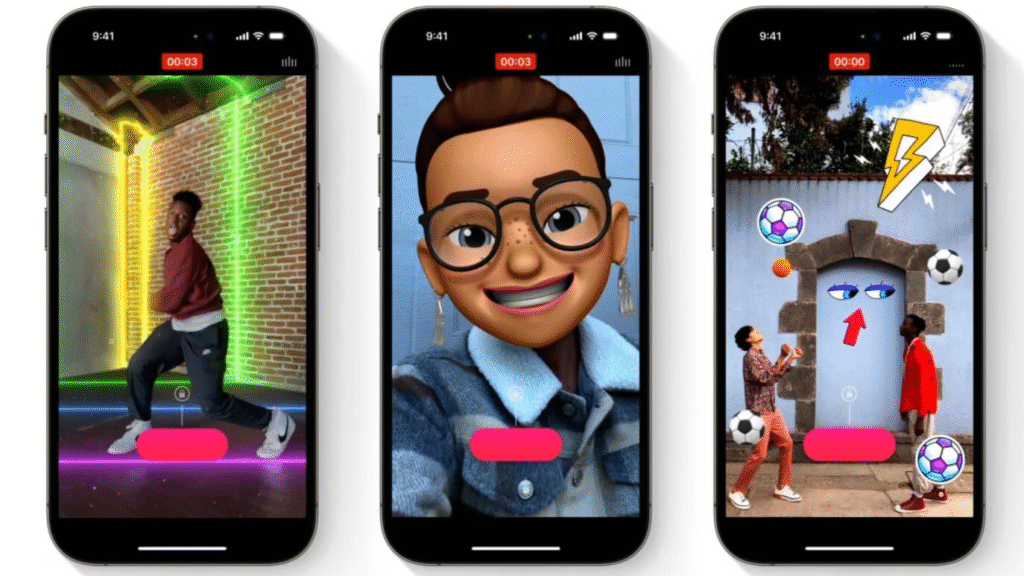
Apple introduced Clips as a compact app for short social video projects. The app offered features such as live titles that convert speech to text, filters, animated posters, and short soundtrack options. Over time, the app received multiple updates, but it never became a flagship social tool for the company and faced competition from more fully featured mobile editors and platform-built-in tools. Market dynamics and shifting user habits likely influenced Apple’s decision to stop updating the app.
What Clips offered and what you lose
Clips let people assemble many short segments into a single project, and it includes simple tools for text, emoji, Memoji, and some automatic soundtrack options. Live Titles made quick captions from speech in many languages. Those convenience features are why some creators kept Clips on hand. With the app no longer being updated, those tools will still work on existing installs for now, but Apple will not deliver new improvements or bug fixes. Users who rely on those features should export projects and consider a migration plan.
Alternatives and next steps
A lot of third-party mobile editors are now as capable or better than Clips at what they could offer. Other apps are vertical video and social-based, and offer more timeline editing and export controls. To people who desire to be tightly integrated into the Apple ecosystem, iMovie and Final Cut Pro offer enhanced editing capabilities, but do not share the interface or purpose with Clips. Test on an App by seeing how the app can be easily exported to formats and platforms that you are using.
How to export your Clips projects
Launch the Clips application. Choose the project that you would like to maintain. Export or share and store the last video in Photos or Files. To have the unprocessed versions, save an unsaturated copy, and then a saturated copy. In case you want to do more editing on Mac, Airdrop, or iCloud Drive the files that you have exported to your computer. Apple help pages provide instructions on export in a simple language.







