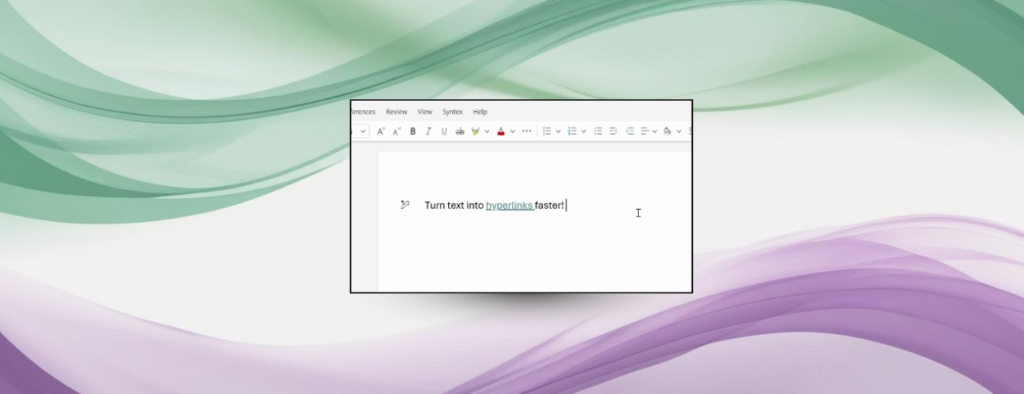
Microsoft has changed how links work in Word to make the task quicker and more natural. Users can now select a word or a phrase and paste a URL directly onto that text. Word will turn the selection into an active link without extra menu steps. This saves time for people who add references and resources to documents.
Faster Link Creation
The new method removes several clicks from a common task. Select the text that should become a link. Copy the web address from a browser. Paste the address onto the selected text. Word will attach the link to that text automatically. The approach is the same in Word for the web, Word for Windows, and Word for Mac. Microsoft calls the feature a way to keep users in the flow while they write.
This change mirrors how many web editors handle linking, and it can speed up report writing and collaboration. The new flow works with plain text selection and with existing copy and paste habits. Users who teach or who prepare shared documents will find fewer steps and fewer formatting interruptions. The feature is meant to feel familiar to people who use content management systems.
Rollout and Support
The update is rolling out now to Word for the web and to recent desktop builds. Word for the web has the change enabled server-side. Mac users need version 16.104 build 25120915 or later. On Windows, users need version 2511 build 19530.20006 or later. Confirming the Word build will speed access to the feature. Microsoft has published guidance on how links work across Word editions.
Teams with older corporate builds may have to wait until IT administrators grant permission, by which time everybody will have the new link behavior. The documents made on the older installs will not cease to be edited. The link flow that is new will not eliminate old link tools. The menu option of the Insert Link or the shortcut keys is still available, and users may use them as they would like. Microsoft claims that the change is not a replacement of the existing tools but complements them.
Microsoft has changed how links work in Word to make the task quicker and more natural. Users can now select a word or a phrase and paste a URL directly onto that text. Word will turn the selection into an active link without extra menu steps. This saves time for people who add references and resources to documents.
Faster Link Creation
The new method removes several clicks from a common task. Select the text that should become a link. Copy the web address from a browser. Paste the address onto the selected text. Word will attach the link to that text automatically. The approach is the same in Word for the web, Word for Windows, and Word for Mac. Microsoft calls the feature a way to keep users in the flow while they write.
This change mirrors how many web editors handle linking, and it can speed up report writing and collaboration. The new flow works with plain text selection and with existing copy and paste habits. Users who teach or who prepare shared documents will find fewer steps and fewer formatting interruptions. The feature is meant to feel familiar to people who use content management systems.
Rollout and Support
The update is rolling out now to Word for the web and to recent desktop builds. Word for the web has the change enabled server-side. Mac users need version 16.104 build 25120915 or later. On Windows, users need version 2511 build 19530.20006 or later. Confirming the Word build will speed access to the feature. Microsoft has published guidance on how links work across Word editions.
Teams with older corporate builds may have to wait until IT administrators grant permission, by which time everybody will have the new link behavior. The documents made on the older installs will not cease to be edited. The link flow that is new will not eliminate old link tools. The menu option of the Insert Link or the shortcut keys is still available, and users may use them as they would like. Microsoft claims that the change is not a replacement of the existing tools but complements them.