What Is Microsoft Authenticator
Microsoft Authenticator is an app that adds a second layer of security to your online accounts by generating one-time codes. It works with any account that uses time-based one-time passcodes for two-factor authentication. You can add your personal Microsoft account or work or school accounts. You can also link other sites and apps, such as email and social media, by scanning a setup code. Once your account is added, you open the app to view a fresh code each time you sign in.

Key Features and Setup
After installing the app from your device store, you open it and tap to add a new account. You choose to sign in with your Microsoft credentials or scan a code provided by another site. The app stores each entry and displays a rotating code. When you log in, you enter your normal password and then type the code. This second step keeps thieves out even if they know your password. The app can also send a prompt so you simply tap approve instead of typing a code. It works without data or wifi as long as your clock is accurate.
Password Manager and Autofill
Microsoft Authenticator can now act as a secure vault for your passwords. When you enable autofill in your device settings, the app can fill user names and passwords for all your apps and mobile site visits. The app saves each new login and syncs with your Microsoft account. You grant the app permission to be your default autofill provider, and then it will suggest your saved credentials when you open a login screen.
Passkey Transition and Data Retention
Microsoft warns that the era of passwords is ending. The app will soon no longer store passwords after August of 2025. Users must choose a new home for their saved login data or convert to modern passkeys. Passkeys let you sign in with a face scan or fingerprint. They resist phishing and do not rely on stored secrets that can be stolen or leaked. The app will continue to support passkeys if you have already set them up. If you disable the app, you lose access to your passkeys, so it must remain enabled.
Getting Started with Passkeys
To replace a password with a passkey, you visit your account security page on each site that supports them. You choose to set up a passkey and follow instructions to confirm your face or fingerprint. The app becomes your secure store. From then on, you will choose passkey sign-in and unlock with your device’s biometric. You no longer need to type a code or password.
Why This Matters
Online accounts are under constant attack from breaches and malware. Two-factor authentication cuts risk by requiring something you have in addition to something you know. Passkeys go one step further by removing the need for a shared secret. Microsoft Authenticator brings these protections into one place on your smartphone. As the app evolves, it will guide you away from passwords and toward safer logins that keep your accounts under your control.
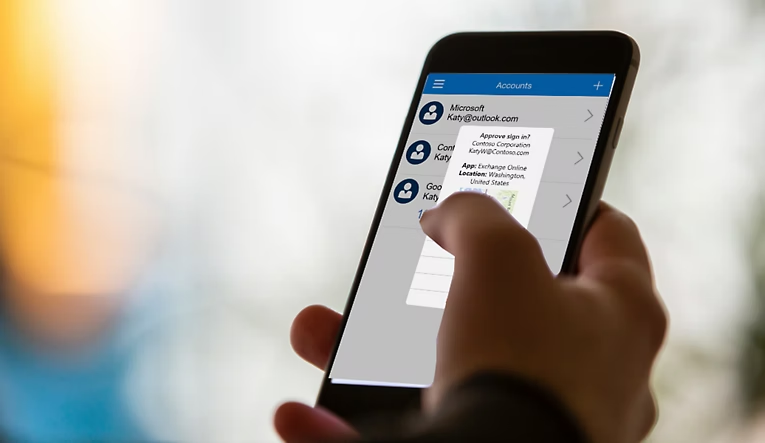
These are some of the areas where your personal data and passwords are kept under lock and key as you explore the app. Microsoft is trying to make login simple and safe by developing new features with every update. You will have a cross-app experience by switching to the use of the autofill option. With the password option being shifted to passkeys, you can enter a future in which passwords are a thing of the past.