TTB White LOGO TB
  • News
  • PC & Hardware
  • Mobiles
  • Gaming
  • Electronics
  • Gadget
  • Reviews
  • How To
  • Login
  • Sign Up
Trending
Starzspins Deutschland: Eine umfassende Übersicht über neue Spiele und ihre Features
Cazeus Casino Chile: guía completa para comenzar a jugar en 2026
Glorion Casino België: ontdek de spannende wereld van live casino spellen
Discover the advantages of using the FunPari O’zbekiston mobile app for instant access to
Rainbet Casino France : débloquez des bonus incroyables en 2026
Saturday, Aug 8, 2026
The Tech BasicThe Tech Basic
Font ResizerAa
Search
  • News
  • PC & Hardware
  • Mobiles
  • Gaming
  • Electronics
  • Gadget
  • Reviews
  • How To
Follow US
Microsoft
The Tech Basic > Gaming > Microsoft Bridges Platforms: Xbox PC App Gets Steam Game Support
GamingNews

Microsoft Bridges Platforms: Xbox PC App Gets Steam Game Support

Salman Akhtar
Last updated: 24 June 2025 03:21
Salman Akhtar
Share
Image Source: Reddit
SHARE

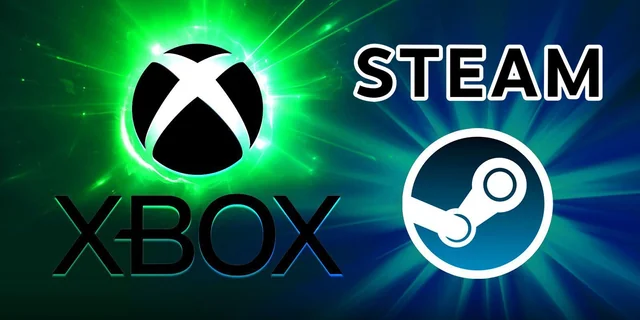
Microsoft has begun testing a new unified game library in its Xbox PC app for Windows. Xbox Insiders can now view their Steam and Battle.net titles alongside their Xbox Game Pass and Microsoft Store games. This change transforms the Xbox app into a central launcher for the majority of a PC gamer’s installed games. No longer will players need to open multiple storefronts to find and launch their favorites.
Contents
  • How the Aggregated Library Works
  • Joining the Preview
  • Broader Xbox Strategy
  • Future Possibilities
Microsoft
Image Source: Reddit

How the Aggregated Library Works

When a gamer installs a supported title from Steam or Battle.net, the Xbox app will detect it automatically. The newly added game will appear under the My Library section. It will also show up in the Most Recent list in the app’s sidebar. This makes returning to a recently played game faster than ever. Future updates will bring support for additional PC stores, according to Microsoft.

Joining the Preview

Players who wish to try the new library immediately can join the PC gaming preview. First, they must download the Xbox Insider Hub from the Microsoft Store. After signing in, they can enroll in the PC gaming preview and install the latest Xbox app update. Inside the app settings under Library & Extensions, players can choose which storefronts to show or hide. This helps manage a crowded library by keeping only the desired stores visible.

Broader Xbox Strategy

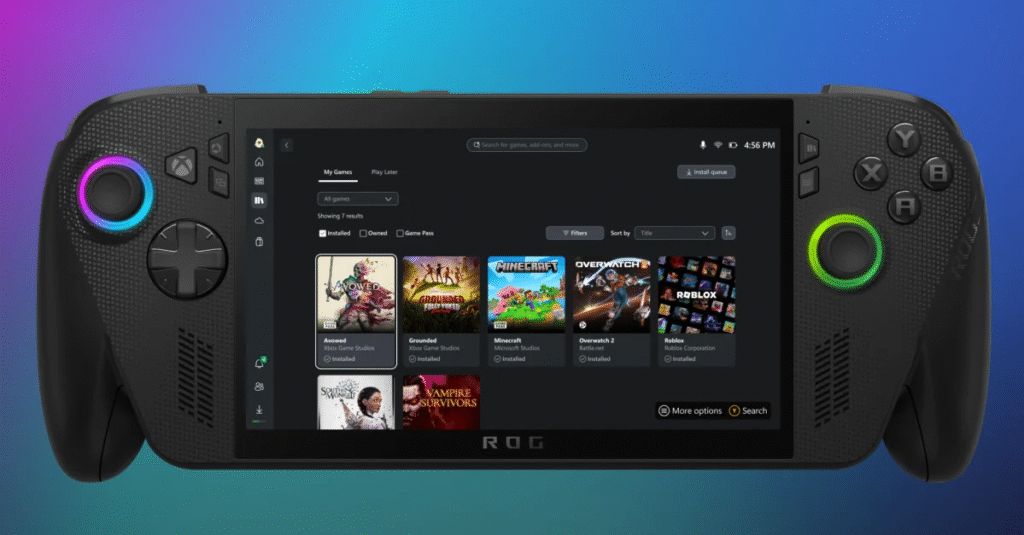
This unified library is part of Microsoft’s broader push to make the Xbox PC app the home for PC gaming. The company hopes a single launcher will give Xbox on Windows an edge over rival platforms such as SteamOS and the native Steam client. Microsoft plans to bring the consolidated library to all users later this year. This feature will also appear on upcoming devices like the ROG Ally handheld powered by Xbox.

Future Possibilities

With multiple PC stores in one interface, Microsoft can explore deeper integration. A gamer might see Xbox achievements for a Steam game or launch into Xbox social features while playing an Epic Games title. Developers could tap into Xbox services for all their Windows games. This first step towards a unified PC gaming experience shows Microsoft’s vision of combining its own services with the broader PC gaming ecosystem.
Microsoft
Image Source: Reddit

By rolling out Steam and Battle.net support in the Xbox PC app, Microsoft aims to simplify game management. Gamers will spend less time switching between launchers and more time playing. As this feature expands to all players and additional storefronts, it may redefine how PC gaming libraries are organized on Windows.

TAGGED:MicrosoftPC GamingXbox
Share This Article
Facebook Reddit Copy Link Print
Share
Salman Akhtar
By Salman Akhtar
View enlightening tech pieces written by Salman Keep up with the most recent news, advice, and trends in the field of technology.

Let's Connect

FacebookLike
XFollow
PinterestPin
InstagramFollow
Google NewsFollow
FlipboardFollow

Popular Posts

Starzspins Deutschland: Eine umfassende Übersicht über neue Spiele und ihre Features

The Tech Basic

Cazeus Casino Chile: guía completa para comenzar a jugar en 2026

The Tech Basic

Glorion Casino België: ontdek de spannende wereld van live casino spellen

The Tech Basic

Discover the advantages of using the FunPari O’zbekiston mobile app for instant access to

The Tech Basic

You Might Also Like

Microsoft
News

Microsoft Launches Copilot Tasks Research Preview

Windows 11
News

Microsoft Brings Full MIDI 1.0 and 2.0 Support to Windows 11

Microsoft
News

Next Gen Power: Microsoft Turns to Superconductors

Steam
GamingNews

Steam Reviews Get Smarter With PC Specs and Performance Data

Social Networks

Facebook-f Twitter Instagram Pinterest Rss

Company

  • About Us
  • Our Team
  • Contact Us

Policies

  • Disclaimer
  • Privacy Policy
  • Cookies Policy
Latest
Lenovo Teases Foldable Legion Go With 11.6 Inch Screen
Mobile Game Installs Drop but Spending Climbs in 2025
Instagram Will Tell Parents When a Teen Searches for Suicide or Self Harm
Nvidia posts $68.1B quarter as AI boom accelerates Q4 growth
Samsung Reinvents AI on Galaxy S26 With Triple Assistants

© 2024 The Tech Basic INC. 700 – 2 Park Avenue New York, NY.

TTB White LOGO TB
Follow US
Welcome Back!

Sign in to your account

Username or Email Address
Password

Lost your password?

Not a member? Sign Up