
TTB White LOGO TB
  • News
  • PC & Hardware
  • Mobiles
  • Gaming
  • Electronics
  • Gadget
  • Reviews
  • How To
  • Login
  • Sign Up
Trending
Скачать Pin-Up: Условия игры, бонусы и акции для новичков
“aviator ️ Oyna Və Qazan Rəsmi Sayti Aviator Azerbaycan
Casino Non AAMS: Understanding Payment Methods and Withdrawal Options
Wednesday, Aug 12, 2026
The Tech BasicThe Tech Basic
Font ResizerAa
Search
  • News
  • PC & Hardware
  • Mobiles
  • Gaming
  • Electronics
  • Gadget
  • Reviews
  • How To
Follow US
Samsung Galaxy Z Fold5
The Tech Basic > Mobiles > Best Vlogging and Selfie Tips with Samsung Galaxy Z Fold5
Mobiles

Best Vlogging and Selfie Tips with Samsung Galaxy Z Fold5

Anees Ali
Last updated: 27 November 2023 19:53
Anees Ali
Share
SHARE

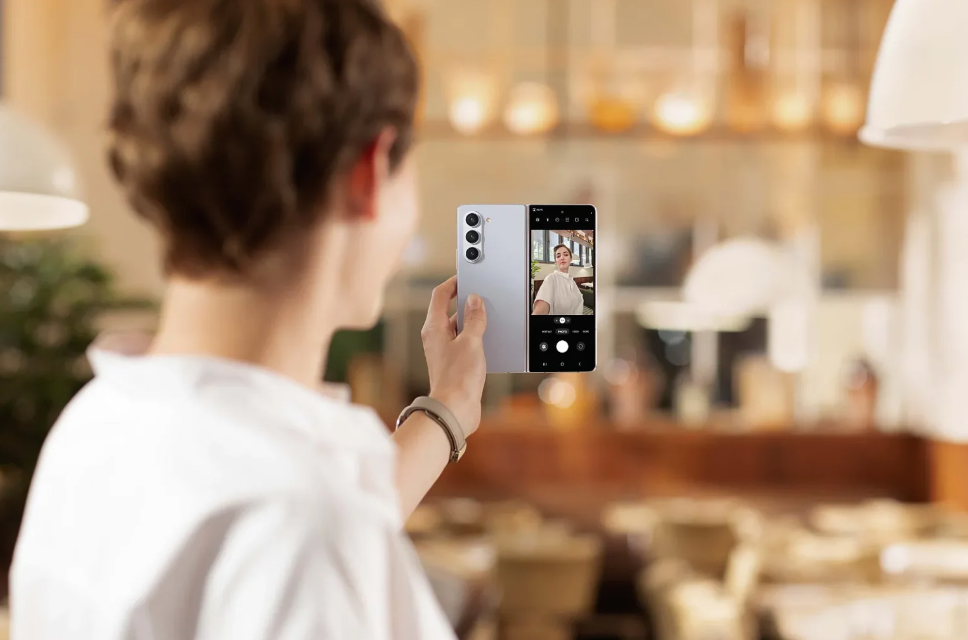
One of the design advantages of the Samsung Galaxy Z Fold5 is the presence of a large external screen or Cover Screen. This external screen is quite useful, especially when using the Fold5 with one hand.

But there’s one particularly useful function of the Cover Screen – recording videos and taking selfies with the main camera for better results.
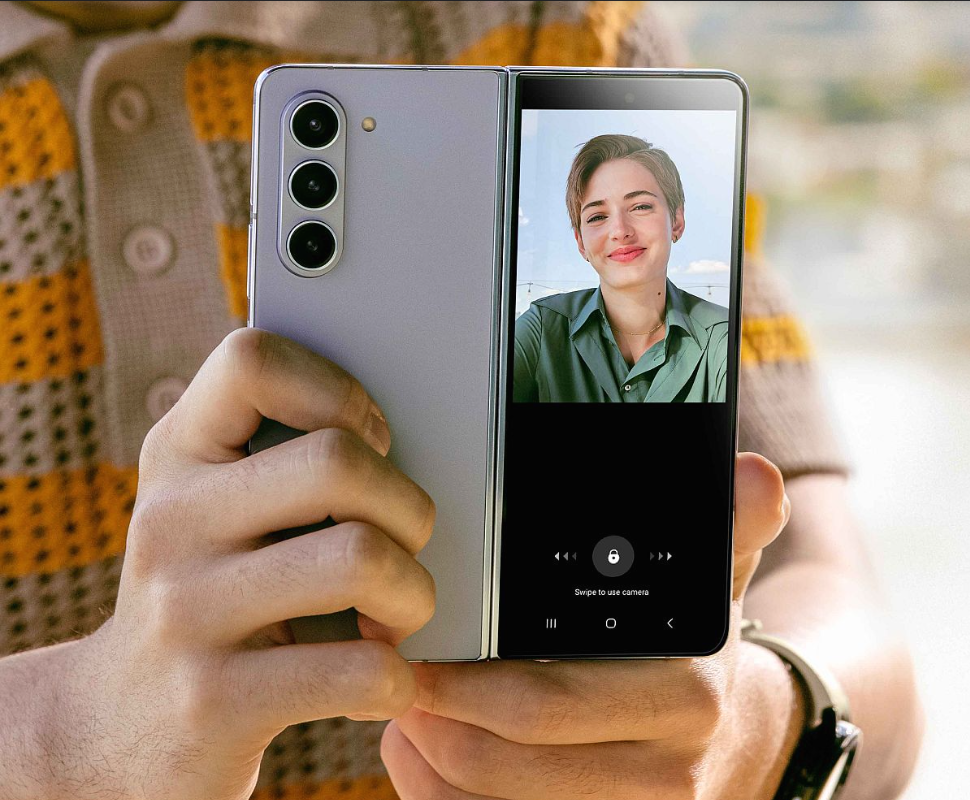
Samsung Galaxy Z Fold5

Dual Preview Feature

By using the Dual Preview feature on the Cover Screen of Samsung Galaxy Z Fold5, you can easily capture the best selfies.

  1. Open the camera menu and tap the Cover Screen Preview icon to display it on the cover screen camera.
  2. To adjust the camera settings on the Cover Screen, simply drag or slide the lock icon on the cover screen sideways to unlock Lock Mode. Now, take your best shot.

Please follow us on Twitter and Facebook.

In addition to operating the main camera, this step can also be applied to using the camera in applications like Instagram, TikTok, and others. After unlocking Lock Mode, run the desired application, such as Instagram, TikTok, or YouTube, to create content.

So, this feature is incredibly useful when you’re creating content alone and without the help of a tripod. With this feature, you can quickly change lens settings, camera mode settings, and switch to video mode.

Samsung Galaxy Z Fold5

Selfies and Videos Tips

For producing good selfies and selfie videos on Samsung Galaxy Z Fold5, here are some tips and tricks from TheTechBasic.

  1. Don’t worry if you forget to switch to Portrait mode. You can apply bokeh effects from Portrait mode in the Gallery app. To do this, go to the Gallery app, then select the option at the bottom right and choose the Add Portrait Effect menu.
  2. Use the ultra-wide camera if you want to take photos or videos up close or in group shots. But make sure the lighting conditions are adequate, considering the Fold5’s ultra-wide camera is not as bright as its main camera (1x zoom).
  3. For the best results in uploading TikTok, IG Reels, or YouTube Shorts videos, record the video with the camera app first and then upload it to the desired app. The result will be better compared to recording directly from the app.
  1. Use Pro Video mode if you want to adjust the microphone while recording video. Choose the microphone you want to use for recording. In addition to a USB-C external microphone, you can also use Samsung Galaxy Buds 2 Pro for clearer audio recording.
  2. You can place the Fold5 on a table with a slight bend. Then use gestures to capture for sharper photos because the camera is in a stable position.

Hopefully, this article is helpful If you liked it spread the words!

Our Editor’s Best Pick For You:

5 FEATURES OF THE SAMSUNG GALAXY Z FOLD5 THAT ENHANCE WORK EFFICIENCY

[TIPS] 5 WAYS TO IMPROVE WIFI QUALITY AT HOME


Share This Article
Facebook Reddit Copy Link Print
Share
Anees Ali
By Anees Ali
Follow:
Anees Ali is a technology reporter with vast experience in the industry of mobile phones and applications. Anees has written several news stories related to the tech industry, including android and iPhones. His major focus is to cover new trends that will have vast influence on the consumers. Apart from writing Anees loves spending time with his wife and son. He's a traveling enthusiast.

Let's Connect

FacebookLike
XFollow
PinterestPin
InstagramFollow
Google NewsFollow
FlipboardFollow

Popular Posts

Скачать Pin-Up: Условия игры, бонусы и акции для новичков

The Tech Basic

“aviator ️ Oyna Və Qazan Rəsmi Sayti Aviator Azerbaycan

The Tech Basic

“aviator ️ Oyna Və Qazan Rəsmi Sayti Aviator Azerbaycan

The Tech Basic

Casino Non AAMS: Understanding Payment Methods and Withdrawal Options

The Tech Basic

You Might Also Like

iPhone 18 Pro
MobilesNews

iPhone 18 Pro Could Redefine Selfies With 24MP Sensor

iPhone Air
MobilesNews

This Transparent iPhone Air Hack Restores SIM Card Support

Galaxy S26
GadgetMobilesNews

Galaxy S26 Launch Date Locked as Samsung Teases AI and New Buds

iPhone 18 Pro
MobilesNews

Why Apple May Ship iPhone 18 Pro in 2026 and iPhone 18 in 2027

Social Networks

Facebook-f Twitter Instagram Pinterest Rss

Company

  • About Us
  • Our Team
  • Contact Us

Policies

  • Disclaimer
  • Privacy Policy
  • Cookies Policy
Latest
Microsoft Launches Copilot Tasks Research Preview
Lenovo Teases Foldable Legion Go With 11.6 Inch Screen
Mobile Game Installs Drop but Spending Climbs in 2025
Instagram Will Tell Parents When a Teen Searches for Suicide or Self Harm
Nvidia posts $68.1B quarter as AI boom accelerates Q4 growth

© 2024 The Tech Basic INC. 700 – 2 Park Avenue New York, NY.

TTB White LOGO TB
Follow US
Welcome Back!

Sign in to your account

Username or Email Address
Password

Lost your password?

Not a member? Sign Up