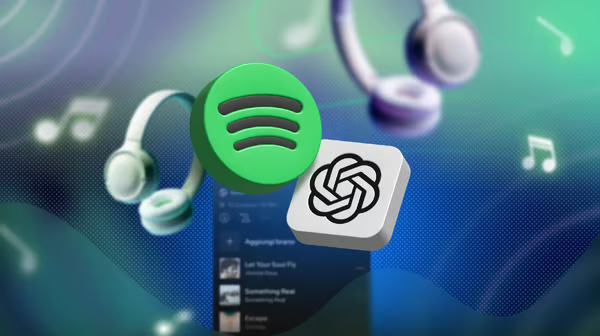

App integrations are now available in OpenAI (ChatGPT), and one of the earliest partners is Spotify. By mentioning Spotify in a ChatGPT prompt, you have the option of linking your Spotify account. Connecting lets ChatGPT use your listening history and saved items to create playlists and to make more relevant suggestions. This feature is available in English across many countries for free and paid ChatGPT users, and it works on the web and mobile.
Connecting your account also unlocks controls that let ChatGPT act inside Spotify. The assistant can control playback on linked devices, add or remove tracks from your library, and create or edit private playlists. These actions require permission when you link your account.
How to connect
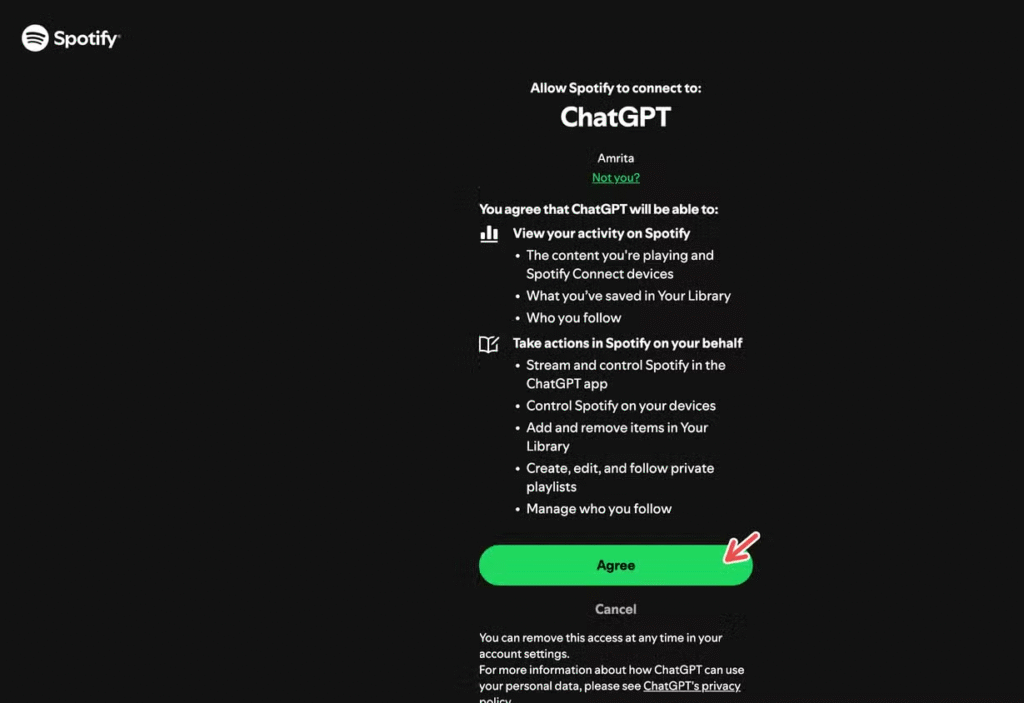
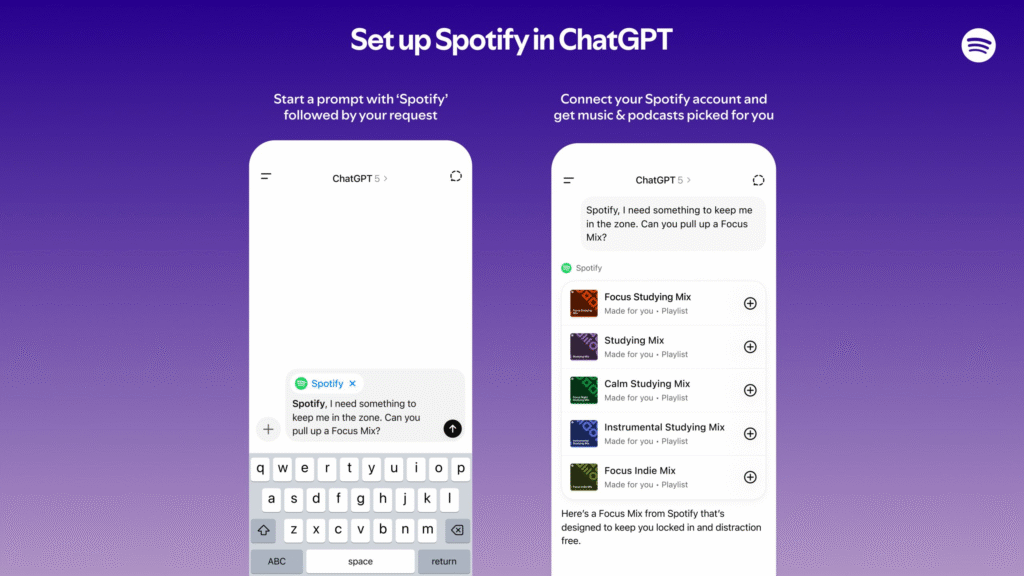
ChatGPT can be used on any browser or mobile application. Type a query that includes the word Spotify. There will be a prompt that provides an option to use Spotify as a source of this answer. Tap or click the button to begin the connection. You will need to sign in to Spotify and allow ChatGPT to do what it wants. The app will be able to access your likes, recent plays, saved shows, and other metadata that may be helpful to tailor responses with approval permissions.
Once you have signed in, you can request ChatGPT to create playlists based on events and moods. It is also possible to request suggestions regarding your favorite artists or playlists. By tapping a recommended song or episode, you can listen to it on the Spotify app that will open right away. Premium Spotify members can receive a somewhat customized experience due to how Spotify delivers recommendations to its paying users.
Privacy and safety
When you link Spotify, you agree to the permissions shown in the consent screen. The integration shares information such as your saved tracks, the shows you follow, and your approximate location and IP address. OpenAI and Spotify say the integration will follow existing privacy rules set out in each platform’s policy. Spotify has also said that it does not share artist content with OpenAI for training the models. Review the permission screen carefully before accepting, and disconnect the account at any time if you change your mind.
If you are concerned about data sharing, consider limiting which services you link to your AI assistant. You can disconnect Spotify later from your ChatGPT account settings or from the Spotify account access controls. Keep in mind that removing the link will stop ChatGPT from using your personal listening history.
Tips for prompts
Be specific when requesting playlists. Assign the mood, the duration of the playlist, or artists to be avoided or included to ChatGPT. Request a playlist for a commute, a workout, a study, or a party. You can also request only mixes that contain songs of your most-played artists. The more obvious your prompt, the better the outcome will be.
ChatGPT can be asked to turn on or off, or even to jump over the tracks in case you want the interactive control. You can request it to create a playlist, and then you can request it to add or remove songs until it seems good. Use the assistant as a smart music assistant capable of doing things when you provide permission.